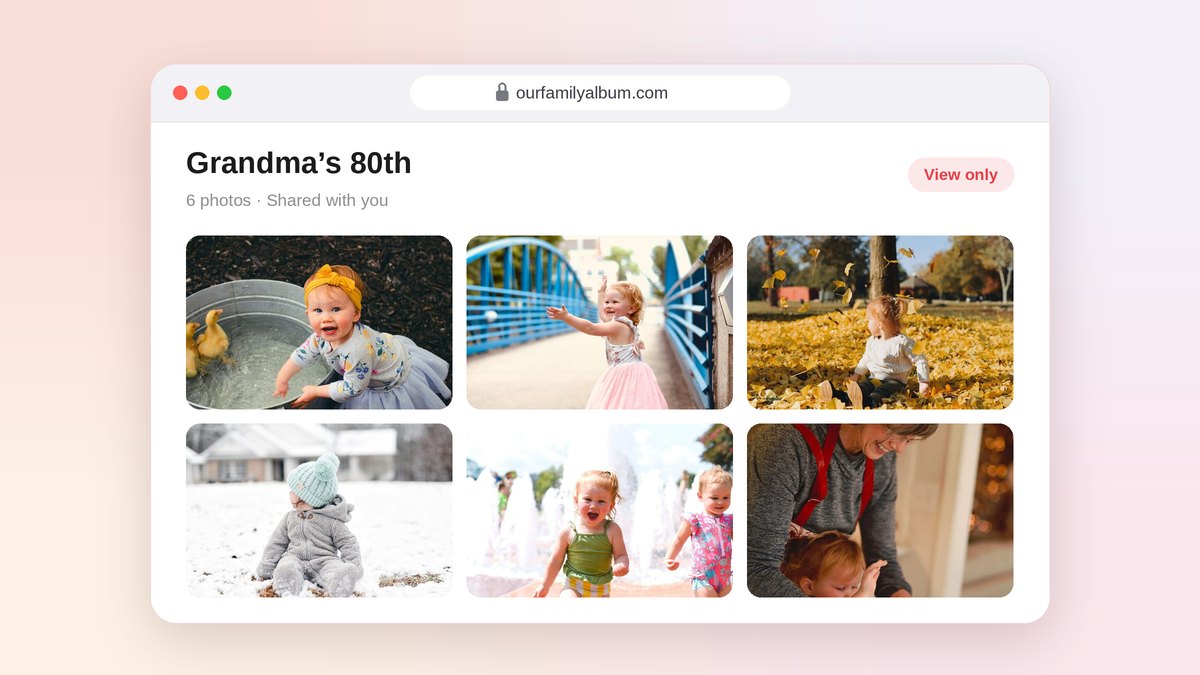
Your relative does not need another account just to enjoy an album. In Our Family Album version 1.5, Share without an app lets you create a read-only browser link for one album. Parents still create and manage the album in the iPhone or iPad app. This is the simplest route for grandparents on Android, relatives using a computer, or anyone who only needs to view.
The short version
- Recipients view one album in a browser without installing an app or signing in.
- Browser access is read-only: no uploads, comments or reactions.
- Anyone holding an active link can view the album, including if it is forwarded.
- Create separate recipient links and use expiry or revocation to manage access.
- Use an app invitation instead when the person should upload, comment, or react.
When a browser link is the right choice
Use a browser link for a grandparent who only wants to look, a relative on Android, or someone who prefers a computer. If they want to join the conversation or contribute photos, invite them to the iPhone or iPad app instead.
This is album sharing, rather than access to your entire family account. Check which photos belong to the album before creating the link.
If you are deciding between an app invitation, a browser link, or a one-time export, start with the broader family album sharing guide.
Create and send the link
- Update Our Family Album to version 1.5 or later.
- Open Share without an app from the family invitation screen or the album menu.
- Choose the album you want the recipient to view.
- Create a link for that recipient and choose whether it should expire.
- Send it privately through your preferred messaging or email app.
Ask the recipient to open the link in their browser. They can browse the shared album without making an Our Family Album account.
Explain what the recipient can do
You could send a short note: “Here’s our family album. Open this link whenever you want to see the photos. You don’t need to install anything. Please keep the link within the family.”
Browser recipients cannot post, react or comment. Joining the app is a separate invitation and gives access according to the album permissions you choose.
For a broader introduction, see sharing with grandparents.
Manage links separately
Create a different link for each recipient. You can revoke a link to stop future access through it, or use an expiry for temporary sharing. If someone forwards their link, that forwarded copy has the same access while the link is active.
Revocation does not remove photos someone previously saved or captured in a screenshot. Link management controls future access, not copies already outside the app.
If a link does not open
Check whether the link has expired or been revoked and whether the full link was copied. Ask the album owner to create a new link if needed. Do not post a private album link publicly while seeking help; contact support instead.
Frequently asked questions
Does the recipient need an Apple Account?
No. A browser recipient does not need an app account or Apple Account to open an active sharing link.
Can I create albums on Android?
No. Our Family Album is managed through the iPhone and iPad app. Android recipients can view browser links in version 1.5.
Does a browser link expire automatically?
You can choose an expiry when creating the link, or revoke it yourself. Check the settings of each link rather than assuming all links expire on the same schedule.
Is browser viewing the same as family membership?
No. A browser link gives read-only access to one album. Family membership and album permissions are managed separately in the app.
What happens if someone forwards the link?
Anyone holding an active link can open the album. Create a separate link for each recipient so you can revoke one person's access without replacing everybody else's link.
Can relatives download or screenshot photos?
A browser link is designed for viewing, but no online sharing method can prevent every copy or screenshot. Share only with people you trust and revoke the link when it is no longer needed.
Start with 10 free photos a month. Premium adds videos and unlimited photos for the whole family. Download for iPhone
