An AWS Builder ID is your personal profile used to access AWS developer and learning tools like the AWS Builder Center, Amazon Q Developer, and AWS Skill Builder without a paid corporate AWS account.
Phase 1: How to Create an AWS Builder ID
Step 1: Create Your AWS Builder ID
Go to the Sign-In Page: Head over to the AWS Builder Center
Click Sign In / Register: Select the option to sign in or create an AWS Builder ID.
Choose Your Sign-Up Method:
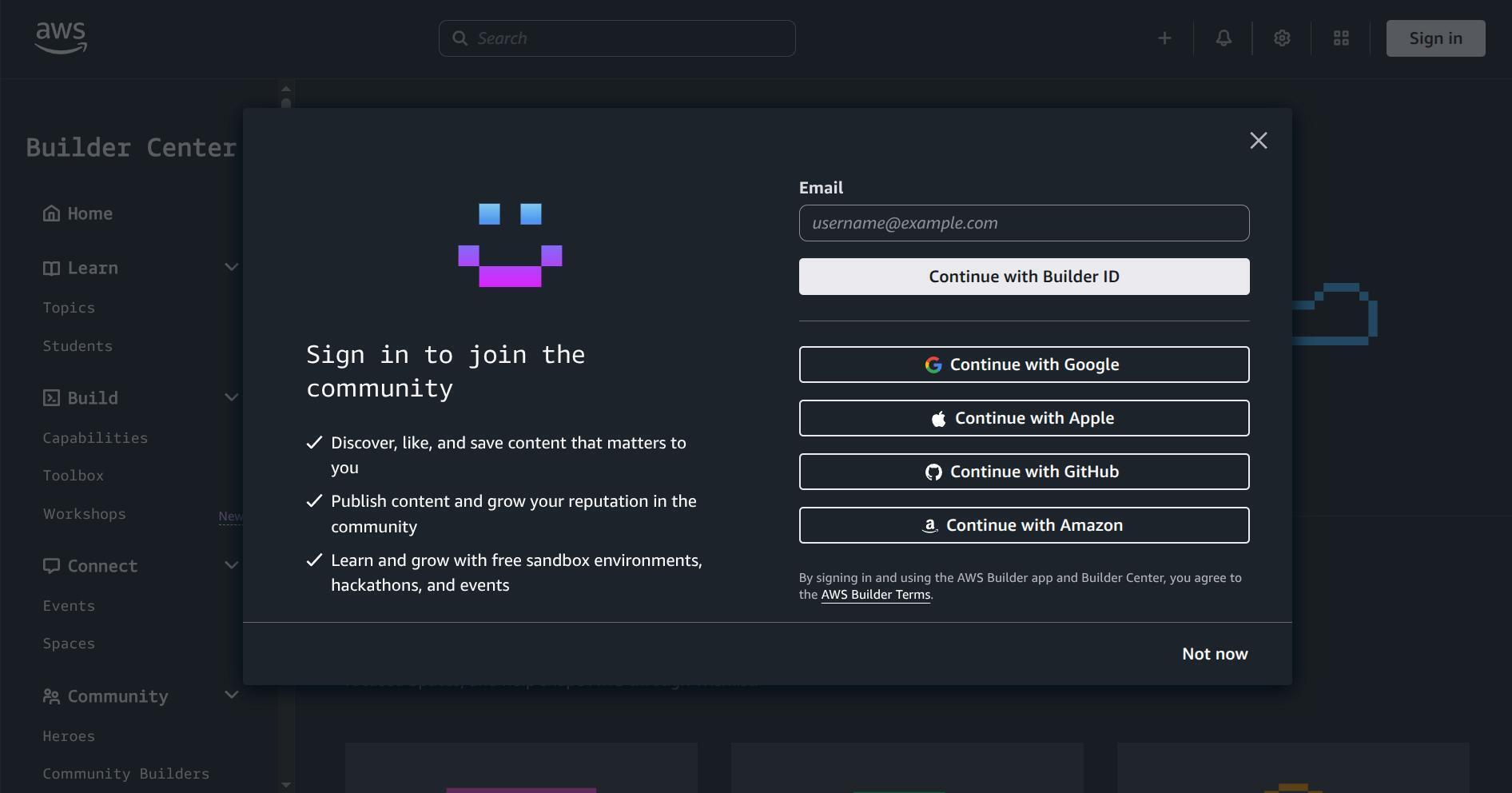
Option A (Fastest): Choose Continue with Google, Apple, or GitHub to link an existing provider.
Option B (Email): Enter your personal email address and click Next.
4. Verify Your Email: Check your inbox for a verification code sent by AWS. Enter the code on the screen and click Verify. (Do this if it gives u an error)
Step 2: Complete Your Profile Setup
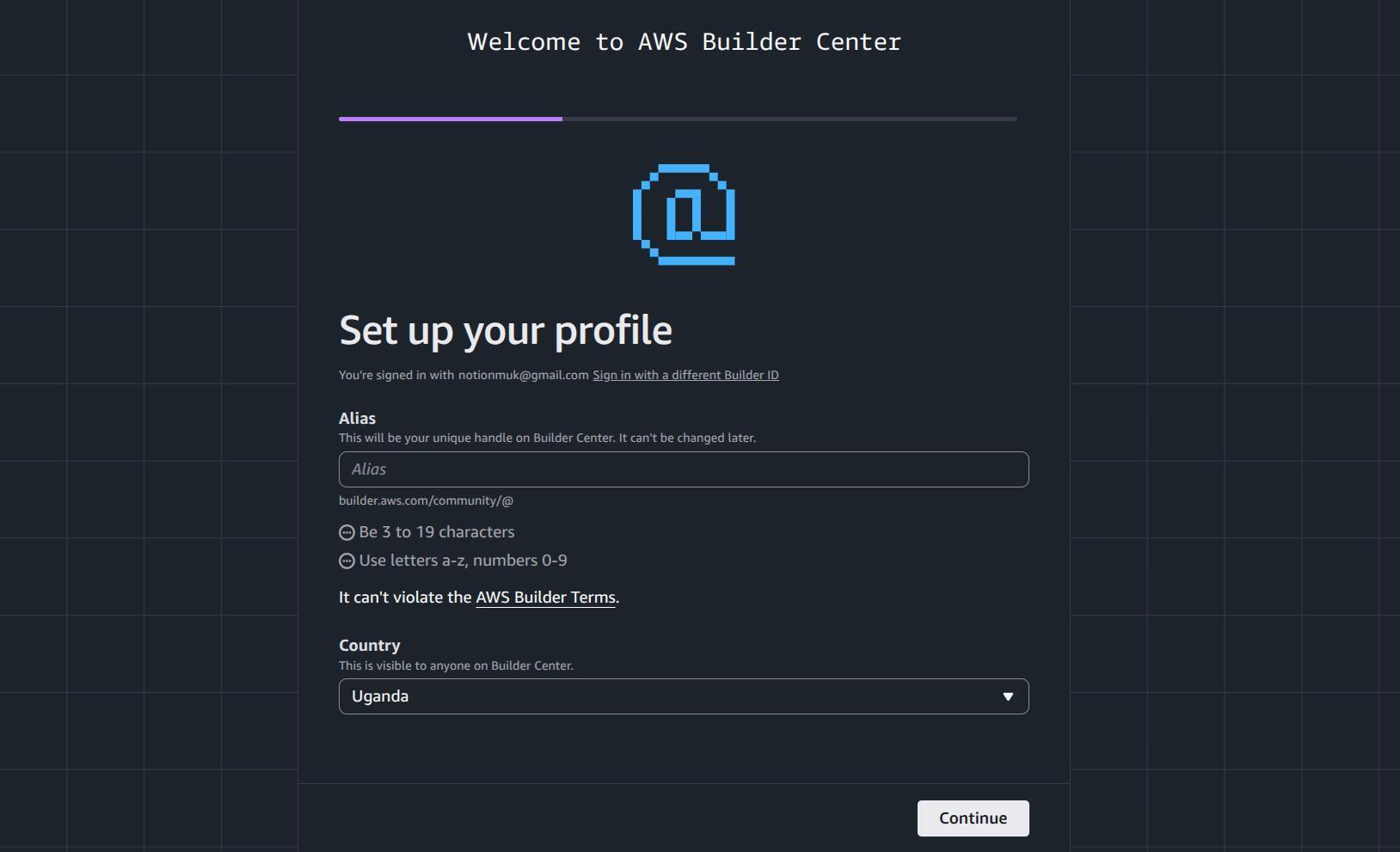
- Complete your profile by choosing ur alias(username); it will be used as ur builder ID too, and choose a location.
- Select "Yes, I am a student" when prompted to configure your student-specific profile path.
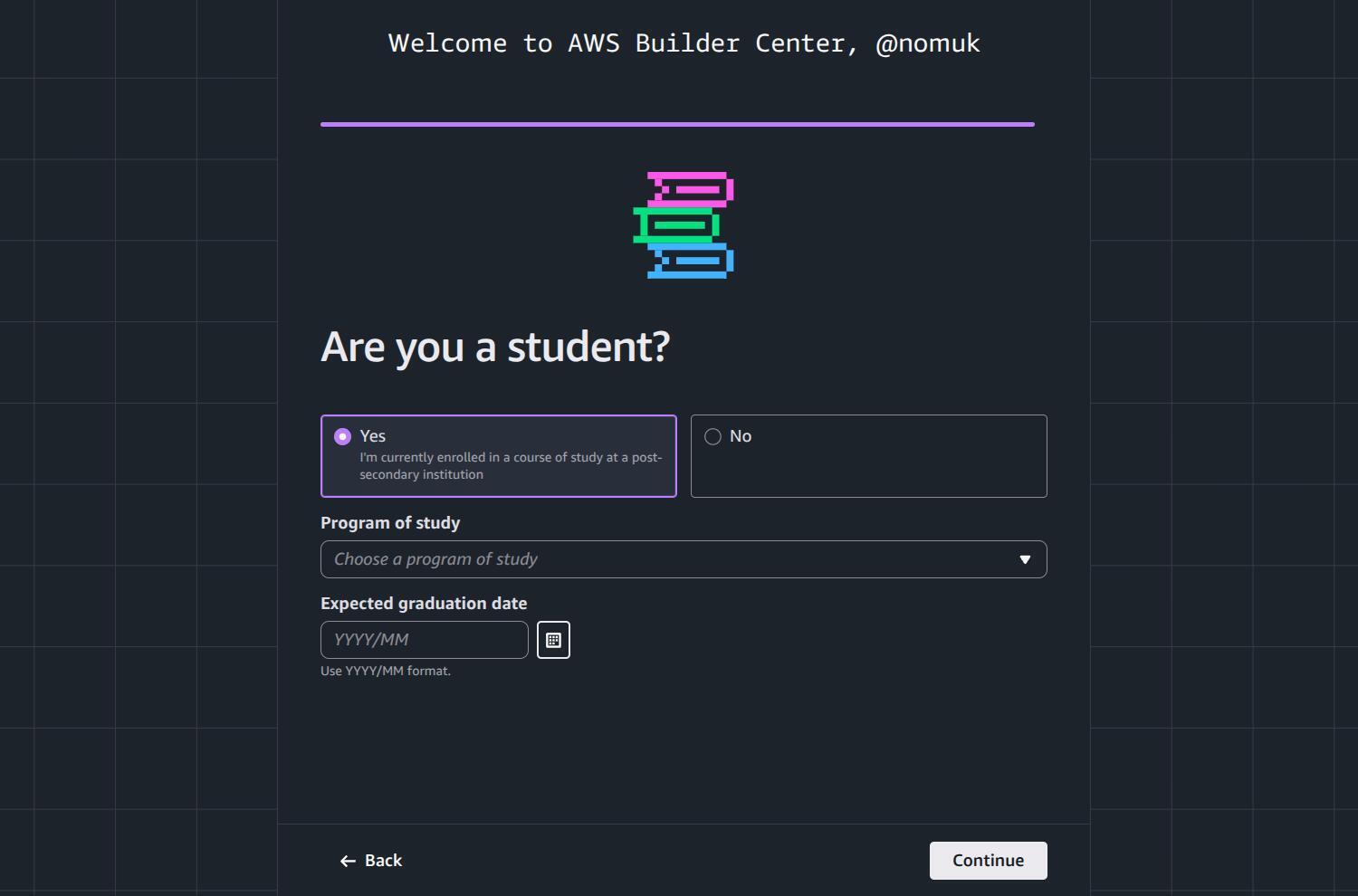
- Fill out your remaining personal details, upload a profile photo, and claim your custom Builder Center alias!
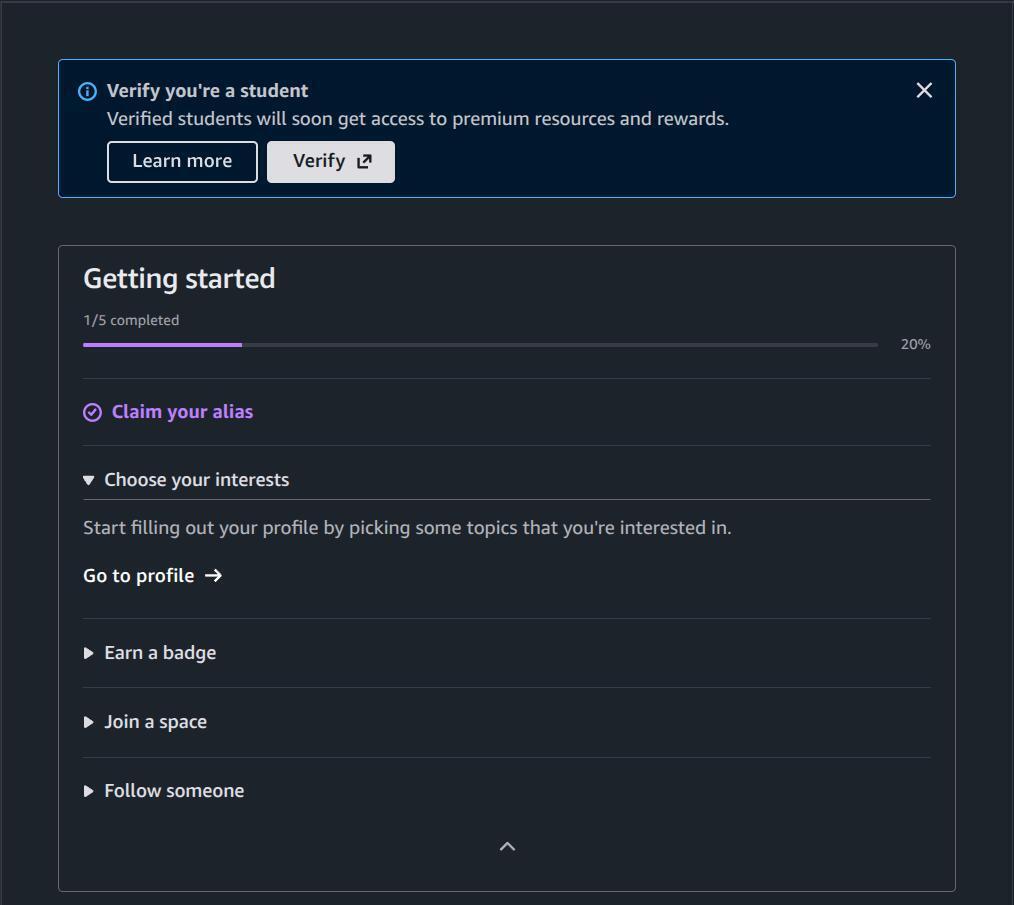
Step 3 (Optional but highly recommended): Verify Your Student Status & Unlock Pro Features 💥
Want to get the most out of your cloud journey? You can verify your student status using SheerID to gain access to Pro features and rewards for a full year!
- How to do it: Navigate to the student verification section within your Builder Center profile or click on the one on your home page.
What you'll provide: Basic information like your school name and school-issued email or documentation.
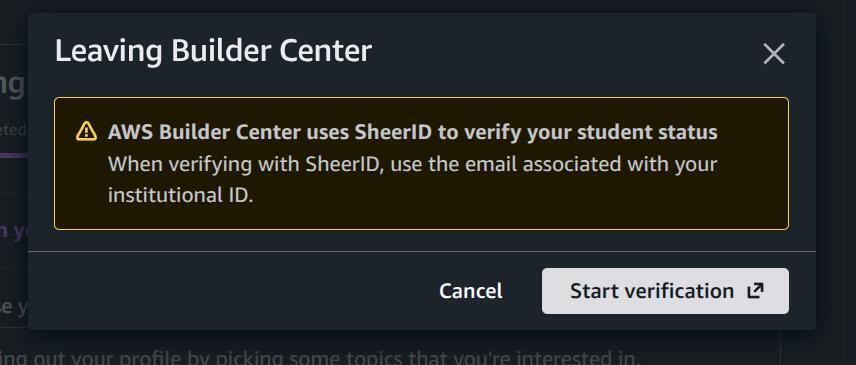
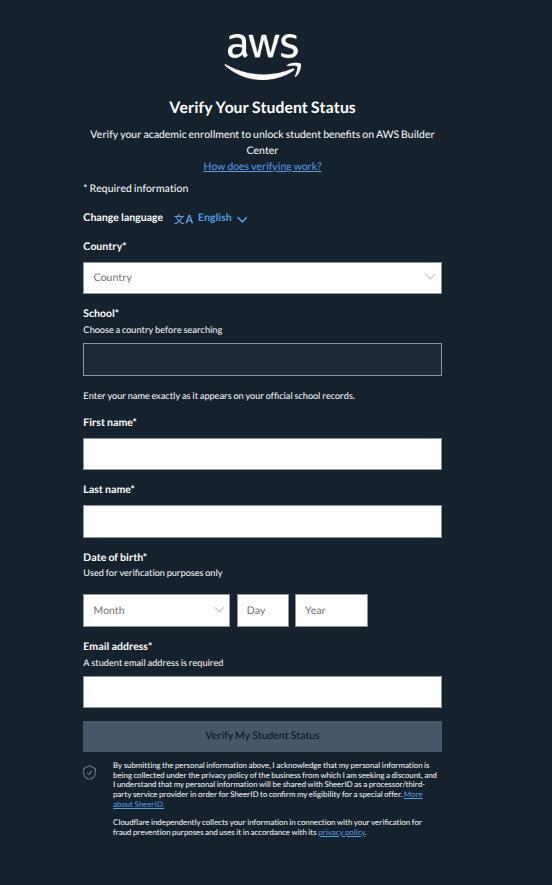
- The Reward: Unlocks massive perks like an annual Skill Builder subscription, giving you hands-on labs, 900+ digital courses, and certification preparation tools completely free!
1. Learn
Topics: Explore specialized technical domains and modern cloud architectures (such as Generative AI, DevOps, Security, and Serverless).
Students: Dedicated pathways, starter content, and foundational resources structured specifically for academic learners.
2. Build
Capabilities: Guides, documentation, and architecture patterns detailing how to implement specific AWS services.
Toolbox: Developer tools, Software Development Kits (SDKs), Command Line Interface (CLI) integrations, and deployment kits.
Workshops: Hands-on, step-by-step tutorials designed to help you build real, production-style projects.
3. Connect
Events: Information on virtual and local webinars, hackathons, and global AWS community meetups.
Spaces: Topic-based discussion forums (like the Student Builders or AI & ML Scholar spaces) where you can share code, ask questions, and collaborate.
Heroes: Recognized global experts who share deep AWS knowledge and open-source projects.
Community Builders: Technical enthusiasts who publish content, write guides, and mentor peers.
User Groups: Regional, self-starter cloud user networks meeting worldwide.
Student Builder Groups: Campus-based student clubs designed to connect peers, host events, and build practical cloud projects together.
5. Wishlist & Explore AWS
Wishlist: A feedback platform where builders can submit feature requests, suggest tool upgrades, and vote on ideas to directly influence the AWS product roadmap.
Explore AWS / Skill Builder: Quick links to support articles, open-source projects, startup resources, and the AWS Skill Builder training ecosystem.
💡 Want the Full complete guide?
Read the complete, interactive guide complete with all screenshots, quick tips, and extra community resources directly on my official Hashnode blog:
👉 Read the Full Article on Hashnode