As web developers, we’ve mastered HTML, CSS, JavaScript, APIs, databases, and cloud deployments.
But today’s web is changing fast — AI-powered features are becoming the new standard.
From smart recommendations to image recognition and chatbots, machine learning is no longer optional.
That’s where TensorFlow comes in.
Why Should Web Developers Learn TensorFlow?
Let’s be honest:
You don’t want to become a PhD-level data scientist.
You just want to build smarter web apps.
TensorFlow helps you do exactly that.
Modern Web Apps Already Use AI
- Smart search
- Personalized recommendations
- Chatbots & virtual assistants
- ️ Image & video analysis
- Predictive analytics
If you can build APIs, you can serve AI models.
What Is TensorFlow (In Simple Terms)?
TensorFlow is a framework that allows you to:
- Train a machine learning model
- Save it
- Use it inside real-world applications
Think of it as:
Express.js for machine learning
Developed by Google, TensorFlow runs on:
- CPUs
- GPUs
- TPUs
- Cloud servers
- Mobile devices
- Browsers (!)
How TensorFlow Fits Into a Web Stack
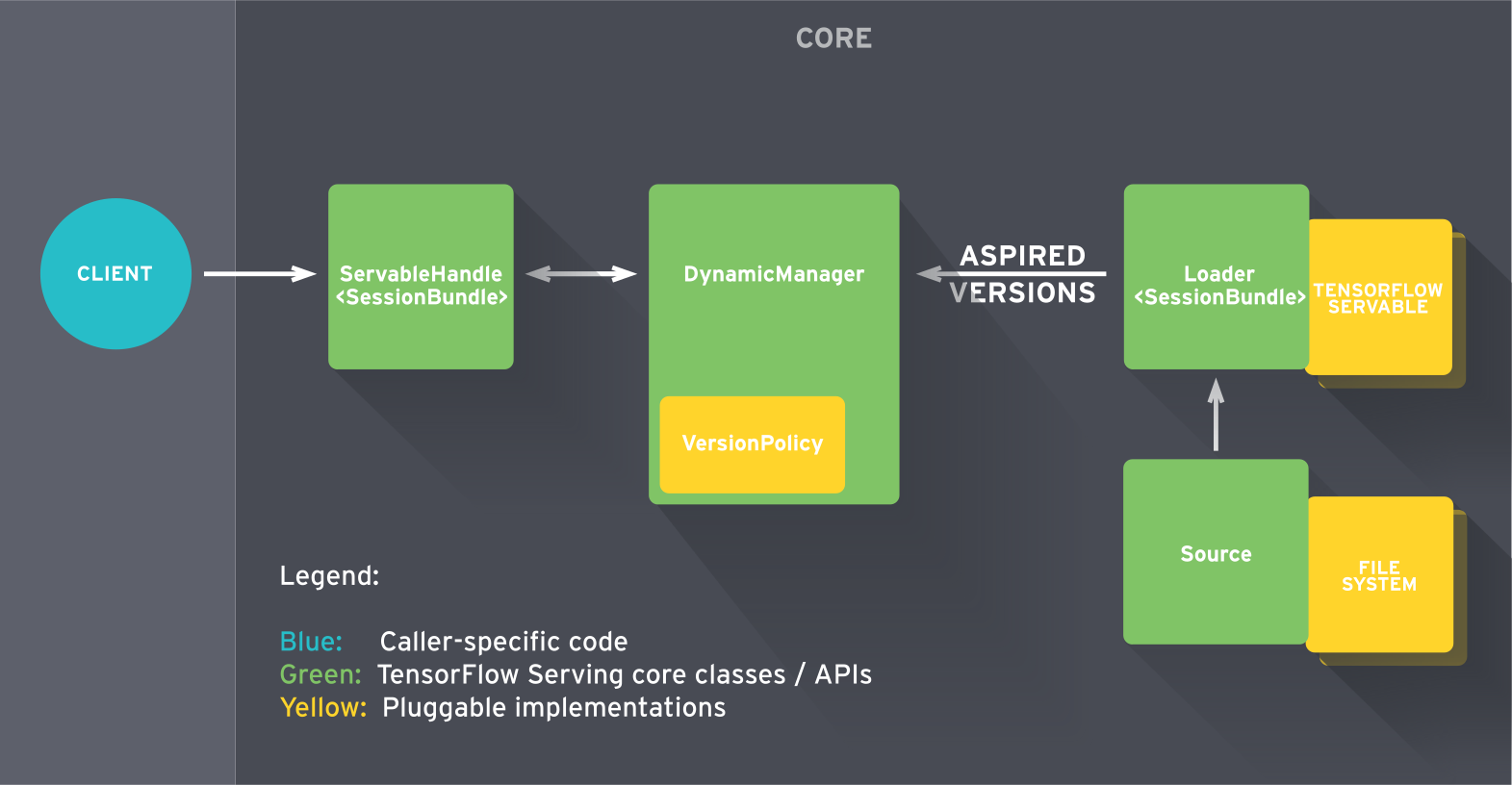


Typical Web + AI Architecture
Frontend (React / Angular / Vue)
        ↓
Backend API (Node / FastAPI / Django)
        ↓
TensorFlow Model
You don’t embed ML logic into UI code — you expose it as an API.
1️⃣ TensorFlow + Keras (Backend AI)
Use Python to:
- Train models
- Export them
- Serve predictions via APIs
Perfect for:
- REST APIs
- Microservices
- AI SaaS products
2️⃣ TensorFlow.js (AI in the Browser)


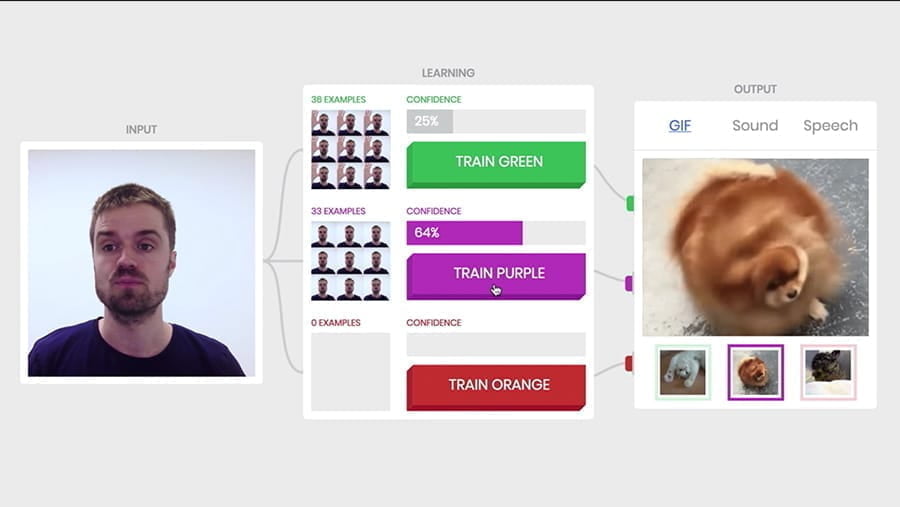
Yes — machine learning can run inside the browser.
With TensorFlow.js, you can:
- Run models using JavaScript
- Use webcam, mic, or browser data
- Avoid sending data to servers (privacy win)
Use cases:
- Face detection
- Gesture recognition
- Client-side recommendations
- Real-time filters
3️⃣ TensorFlow Lite (Mobile & Edge)
If your web app expands into:
- Mobile apps
- IoT devices
- Offline apps
TensorFlow Lite lets you deploy lightweight models.
Example: AI Feature a Web Dev Can Build
Smart Product Recommendation
- Train model with user behavior
- Predict next product
- Serve via API
- Call from frontend
️ Image Upload with Auto-Tagging
- User uploads image
- TensorFlow model classifies it
- Backend returns tags
- Frontend displays metadata
Simple TensorFlow Example (Backend)
import tensorflow as tf
from tensorflow import keras
import numpy as np

model = keras.Sequential([
    keras.layers.Dense(1, input_shape=[1])
])

model.compile(optimizer='adam', loss='mse')

x = np.array([1, 2, 3, 4])
y = np.array([2, 4, 6, 8])

model.fit(x, y, epochs=200, verbose=0)
print(model.predict([5]))
This becomes just another service your frontend calls.
TensorFlow vs Traditional Backend Logic
| Feature | Traditional Logic | TensorFlow |
|---|
| Rules | Hardcoded | Learned |
| Adaptability | Low | High |
| Personalization | Manual | Automatic |
| Scalability | Limited | Excellent |
Learning TensorFlow as a Web Developer (Smart Path)
1️⃣ Don’t learn ML math first
2️⃣ Learn Keras API
3️⃣ Focus on real use cases
4️⃣ Treat models as services
5️⃣ Deploy like any backend API
You already know:
- APIs
- JSON
- Authentication
- Cloud hosting
TensorFlow just adds intelligence.
When You DON’T Need TensorFlow
- Static websites
- CRUD-only apps
- No personalization or predictions
But the moment your app needs to learn from data, TensorFlow shines.
Final Thoughts
AI is becoming a default feature in modern web applications.
Web developers who understand TensorFlow gain a huge career advantage.
You don’t need to switch careers.
You just need to upgrade your stack.
Web + AI is the future — and TensorFlow is one of the easiest ways to enter it.
What is TensorFlow?
TensorFlow is an open-source machine learning & deep learning framework developed by Google.
It is used to:
- Build AI models
- Train them on data
- Deploy them to web, mobile, cloud, or edge devices
Why Learn TensorFlow?
✅ Industry standard for AI
✅ Scales from laptop → cloud → TPU
✅ Great for Deep Learning
✅ Strong ecosystem (Keras, TF Lite, TF Serving)
Flow:
- Data →
- Model →
- Training →
- Evaluation →
- Prediction
Step 1: Install TensorFlow
Recommended Setup
- Python 3.9 – 3.12
- Use virtual environment
Install (CPU version)
pip install tensorflow
Verify Installation
import tensorflow as tf
print(tf.__version__)
If it prints a version → you’re ready ✅
Step 2: Your First TensorFlow Program
Let’s build a simple neural network using Keras (built into TensorFlow).
Example: Predict numbers (basic demo)
import tensorflow as tf
from tensorflow import keras
import numpy as np

# Training data
x = np.array([1, 2, 3, 4, 5], dtype=float)
y = np.array([2, 4, 6, 8, 10], dtype=float)

# Model
model = keras.Sequential([
    keras.layers.Dense(units=1, input_shape=[1])
])

# Compile
model.compile(optimizer='adam', loss='mean_squared_error')

# Train
model.fit(x, y, epochs=500, verbose=0)

# Predict
print(model.predict([6]))
This learns y = 2x
Step 3: Core Concepts You Must Know
1️⃣ Tensors
- Multi-dimensional arrays
- Like NumPy arrays but optimized for GPUs/TPUs
tf.constant([[1, 2], [3, 4]])
2️⃣ Model
A structure that learns patterns.
Common layers:
Dense (fully connected)Conv2D (images)LSTM (text/time series)
3️⃣ Training
Model learns by:
- Forward pass
- Loss calculation
- Backpropagation
4️⃣ Loss Function
Measures how wrong the model is.
Examples:
mean_squared_error (regression)categorical_crossentropy (classification)
5️⃣ Optimizer
Improves model weights.
Step 4: Build a Real Example (Image Classifier)
Load Dataset
(x_train, y_train), (x_test, y_test) = keras.datasets.mnist.load_data()
x_train = x_train / 255.0
x_test = x_test / 255.0
Model
model = keras.Sequential([
    keras.layers.Flatten(input_shape=(28, 28)),
    keras.layers.Dense(128, activation='relu'),
    keras.layers.Dense(10, activation='softmax')
])
Compile & Train
model.compile(
    optimizer='adam',
    loss='sparse_categorical_crossentropy',
    metrics=['accuracy']
)

model.fit(x_train, y_train, epochs=5)
This model recognizes handwritten digits.
Step 5: Where TensorFlow Is Used
- Web apps (AI APIs)
- Mobile apps (TF Lite)
- Cloud ML pipelines
- Recommendation engines
- Chatbots
- Image & video analysis
TensorFlow vs PyTorch (Quick)
| Feature | TensorFlow | PyTorch |
|---|
| Production | ⭐⭐⭐⭐⭐ | ⭐⭐⭐⭐ |
| Learning curve | Moderate | Easier |
| Mobile support | Excellent | Limited |
| TPU support | Native | Limited |
Learning Path (Recommended)
1️⃣ Python basics
2️⃣ NumPy
3️⃣ TensorFlow + Keras
4️⃣ Neural Networks
5️⃣ CNNs (Images)
6️⃣ RNN / Transformers (Text)
7️⃣ Deployment (API / Cloud)
create ML models, google tech
train AI models
http://www.tensorflow.org
Let’s stay connected:
Instagram: https://www.instagram.com/angular_development/
Facebook: https://m.facebook.com/learnangular2plus/
Threads: https://www.threads.net/@angular_development
Medium: https://medium.com/@eraoftech
coderlegion: https://coderlegion.com/user/Sunny
Quora: https://neweraofcoding.quora.com/
YouTube: https://www.youtube.com/@neweraofcoding
LinkedIn: https://www.linkedin.com/company/infowebtech/
Hashnode: https://neweraofcoding.hashnode.dev/
GitHub: https://github.com/angulardevelopment/ | sunny7899
BlueSky: https://bsky.app/profile/neweraofcoding.bsky.social
Substack Newsletter: https://codeforweb.substack.com/
Pinterest: https://in.pinterest.com/tech_nerd_life/
dev.to: https://dev.to/sunny7899
Looking for web dev trainings: https://beginner-to-pro-training.vercel.app/
Software development services: https://infowebtechnologies.vercel.app/
Contribution to the web development community: https://code-for-next-generation.vercel.app/
Book a session: https://topmate.io/softwaredev
Telegram Channel: https://t.me/neweraofcoding
Slack Community: Invite
Thank you for being a part of the community. Happy coding!
