BTOP++: The Resource Monitor I Didn’t Know I Needed
Introduction
The year has just begun, the holidays are over, and it’s time to get back to building things.
There’s been a lot of talk about 2026 being “the year of Linux” — Steam even kicked off the year with promotional material hinting at that idea. Whether that prediction will come true or not, I can confidently say one thing: 2025 was the year of Linux for me.
After years using Linux sporadically, things changed when I decided to study it more seriously. Since then, the penguin has fully taken over my workflow — much to my family’s amusement.
With that context set, this article has a simple goal:
- Wish everyone a productive new year
- And introduce a tool I genuinely didn’t know I needed: BTOP++
Why Resource Monitoring Still Matters
Even with modern hardware, understanding how your system behaves in real time is still critical.
Whether you’re:
- Running local development environments
- Debugging performance issues
- Working with containers
- Or simply trying to understand where your resources are going
A good resource monitor gives you immediate feedback and helps you build intuition about your system.
That’s where terminal-based tools really shine.

HTOP vs BTOP++
Before anything else, it’s important to say this clearly:
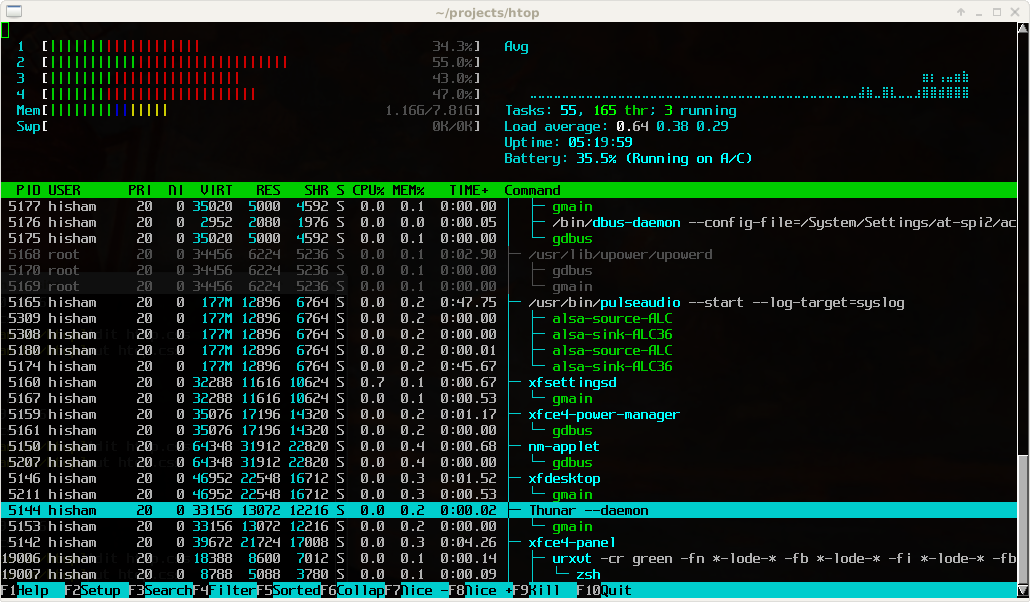
HTOP is an excellent tool.
Created by Hisham Muhammad, HTOP is:
- Fast
- Minimal
- Battle-tested
- Hugely respected by the Linux community
It’s not by accident that it became a standard and even part of hacker culture.
So why look at BTOP++ at all?
What Makes BTOP++ Different
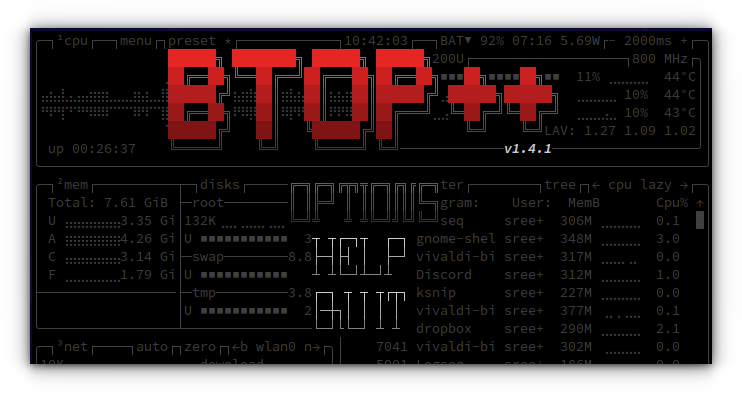
BTOP++ can be seen as a natural evolution of the HTOP idea.
While HTOP is written in C, BTOP++ is written in C++, which allows it to offer:
- Richer visual components
- Integrated CPU, memory, disk, and network graphs
- A more modern and polished interface
- Multiple panels without sacrificing usability
All of this still runs inside the terminal, with no significant performance penalty on modern systems.
Should You Switch?
As with most things in technology, there is no silver bullet.
Both tools excel in different scenarios:
HTOP
- Minimal and extremely fast
- Proven stability over many years
- Ideal for SSH sessions and servers
- Excellent choice for low-resource environments
BTOP++
- Visually rich and modern
- Excellent for desktops and workstations
- Great for local development and debugging
- Makes performance patterns easier to spot at a glance
A simple rule of thumb:
HTOP for servers. BTOP++ for desktops and workstations.
Installation
Arch / Manjaro / Big Linux
sudo pacman -Syu
sudo pacman -S btop
Run it with:
btop
Ubuntu 22.10 or newer
sudo apt update
sudo apt install btop
Ubuntu 22.04 LTS or older
sudo snap install btop
Useful Keyboard Shortcuts
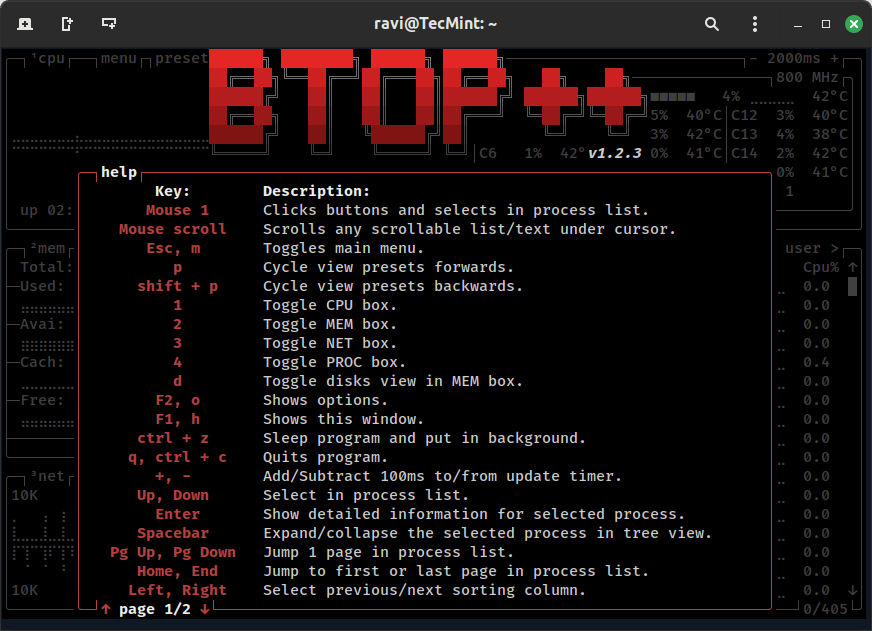
Once inside BTOP++:
ESC or M → Open menu ↑ / ↓ → Navigate processes F → Filter processes by name K → Kill selected process
You can find the full list under Help in the menu.
Conclusion
BTOP++ isn’t a replacement for HTOP — it’s a complement.
HTOP remains the gold standard for minimal, reliable monitoring in server environments. BTOP++, on the other hand, brings clarity and visual insight that make it especially valuable on desktops and developer workstations.
If you spend a lot of time working locally on Linux, BTOP++ is absolutely worth adding to your toolbox.
Here’s to a productive year — and long live Linux