In the world of real-time applications, delivering instantaneous updates to users is foundational. From collaborative documents to live chat applications, the ability to instantly reflect changes across all connected clients can make or break the user experience. ThingsDB, with its robust event-driven architecture, offers a powerful solution for achieving this.
Traditionally, implementing event-driven updates in a real-time application, like a chat room, often followed a pattern that could lead to unnecessary complexity. Let's break down the classic approach and then explore how ThingsDB's new "emit to peers only" feature simplifies this process.
Traditional Flow
Imagine a simple chat application. When a user sends a message, the desired flow is that the message appears instantly on the users screen, and via an event for everyone in the chat room.
Here's how that flow typically worked:
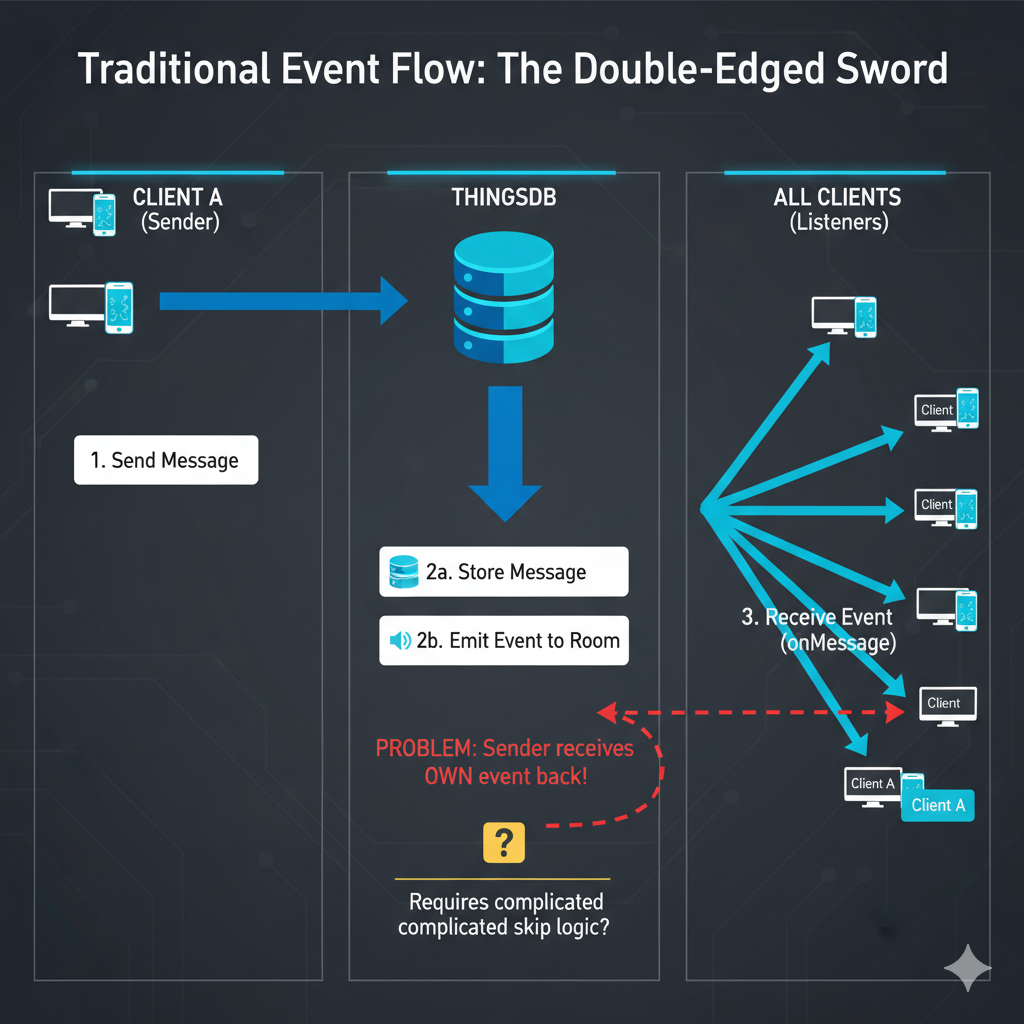
- A chat client sends a new message to the ThingsDB server.
- ThingsDB stores the message and then emits an event to a designated "room" (or topic) that all connected clients are listening to.
- All clients subscribed to that room receive the event and display the new message in their respective chat interfaces.
This approach works, but it introduces a subtle challenge: the client that sent the message also receives the same event back.
Here's a visual representation of the traditional flow:
Self-Inflicted Updates
While seemingly harmless, receiving one's own message back as an event can create issues, especially if the client is designed to immediately display the message locally upon sending. This leads to a double-update scenario: the message appears instantly when sent, and then again when the event is received from the server.
To avoid this redundancy, developers often resorted to complex workarounds like implementing intricate code to detect if an incoming event originated from the current client, perhaps by including a unique client ID with each emitted event.
The ThingsDB Solution: Emitting to Peers Only
ThingsDB addresses this challenge elegantly with its new "emit to peers only" option. This powerful feature allows you to broadcast events to all listeners within a room except the one that initiated the event.
Here's how the simplified flow works:
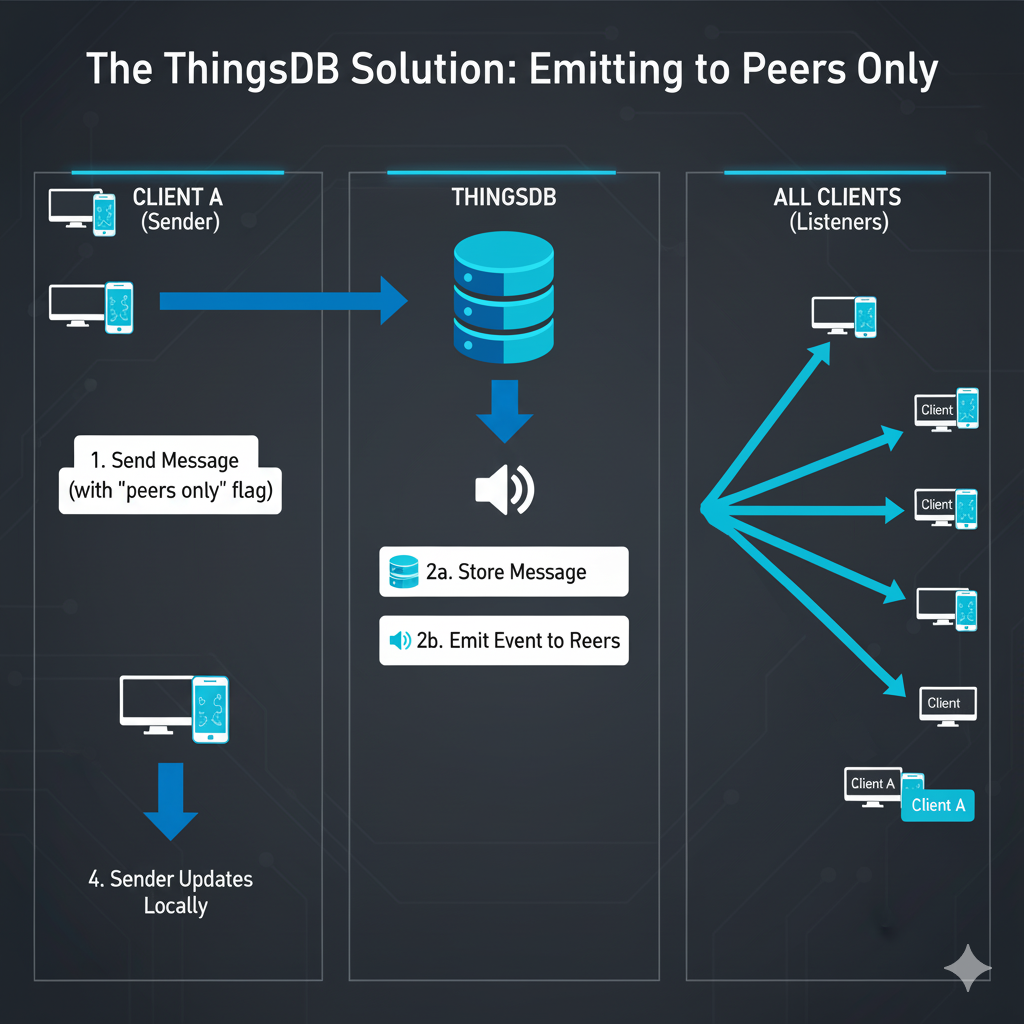
- A chat client sends a new message to ThingsDB, explicitly indicating that the event should only be emitted to other peers and displays the message in the chat screen.
- ThingsDB stores the message and then emits the event to the designated room. Crucially, it filters out the originating client from the list of recipients.
- All other clients subscribed to the room receive the event and display the new message.
Sender Updates Locally: The sending client, having already displayed the message locally, does not receive a redundant event from the server.
Let's visualize this improved flow:
Beyond Chat Rooms
The "emit to peers only" concept extends far beyond chat applications. Consider any scenario where a client initiates an action and immediately reflects that change locally, while also needing to inform other connected clients:
Collaborative Document Editing: When a user types a character, it appears instantly on their screen. Other collaborators see the update via an event, but the typing user doesn't need to process their own keystroke as an incoming event.
Real-time Dashboards: A user performs an action that updates a metric locally. Other users viewing the dashboard receive an event to update their views, but the initiating user's dashboard is already updated.
Gaming: A player moves their character. The local client updates the character's position instantly. Other players receive an event to update the character's position on their screens.
Conclusion
ThingsDB's "emit to peers only" feature is implemented by all supported clients and is addressing a common pain point in real-time application development. For any application built on the promise of instant updates, utilizing this feature means spending less time debugging logic and more time writing clean, purposeful code.