Nov 18, 2026 · Mariam Barova · Studio Prompt Lead · 8 min read
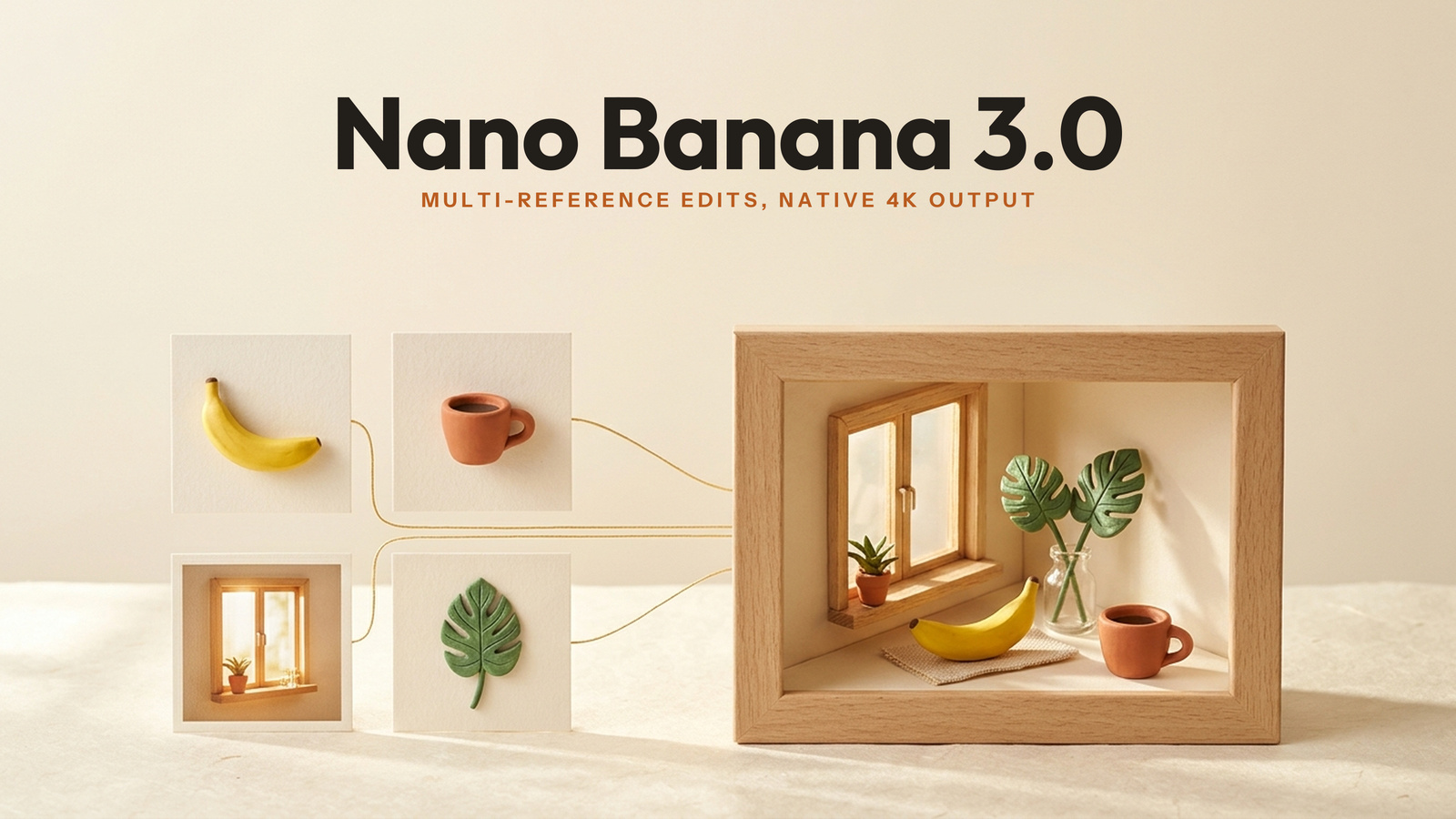
Multi-reference photo edits fail when an AI editor pastes your product or subject into a new scene without recalculating bounce light, contact shadows, and lens depth of field. To combine a hero subject, a prop, and a lighting reference cleanly, anchor the geometry to your primary image first and instruct the model to match the color temperature and shadow falloff of the secondary references in one pass.
If you shoot e-commerce catalogs or social lookbooks, you know the pain of traditional compositing: masking hair or glass edges in Photoshop takes an hour, while generic AI inpainting turns natural skin and brushed metal into waxy plastic. Below is how reference-guided editing compares on the live Artificial Analysis leaderboard, how to run multi-reference up-to-4K edits inside Nano Banana 3.0, exact prompts you can copy, and where reference editing still falls short.
Why do most AI photo edits look pasted-on or plastic?
When you upload two or three reference photos into a basic diffusion editor, the encoder often treats each reference as a competing global style rather than distinct spatial layers. That collision creates three telltale artifacts that ruin commercial shots:
- Missing contact occlusion: A coffee mug or sneaker placed onto a sunlit wooden table floats slightly above the grain because the model fails to cast a tight 2mm ambient occlusion shadow underneath the base.
- Mismatched specular highlights: Your reference product was shot under cool studio softboxes (
5600K), but the target café backdrop is lit by warm late-afternoon tungsten (3200K) — leaving a cold blue rim around the bottle.
- Cumulative VAE softening: Running four separate small edits in a row re-encodes the canvas four times, washing out fabric weave and typography sharpness.
How do 2026 image editors rank on public benchmarks?
On the live Artificial Analysis Image Editing Leaderboard (AA-Image-Editing v2.1, scored by blind human preference across instruction-based edits), GPT Image 2.6 Sunburst holds #1 at 1,211 Elo ($210.72 per 1,000 images), while Google's Nano Banana 2.1 ranks #9 overall at 1,152 Elo (±13 across 6,346 samples) at $33.60 per 1,000 images — sitting right alongside Seedream 5.5 (1,160 Elo, $28.00/1k) and Krea 3 Ultra (1,154 Elo, $100.00/1k) while costing less than one-sixth of OpenAI's flagship rate.
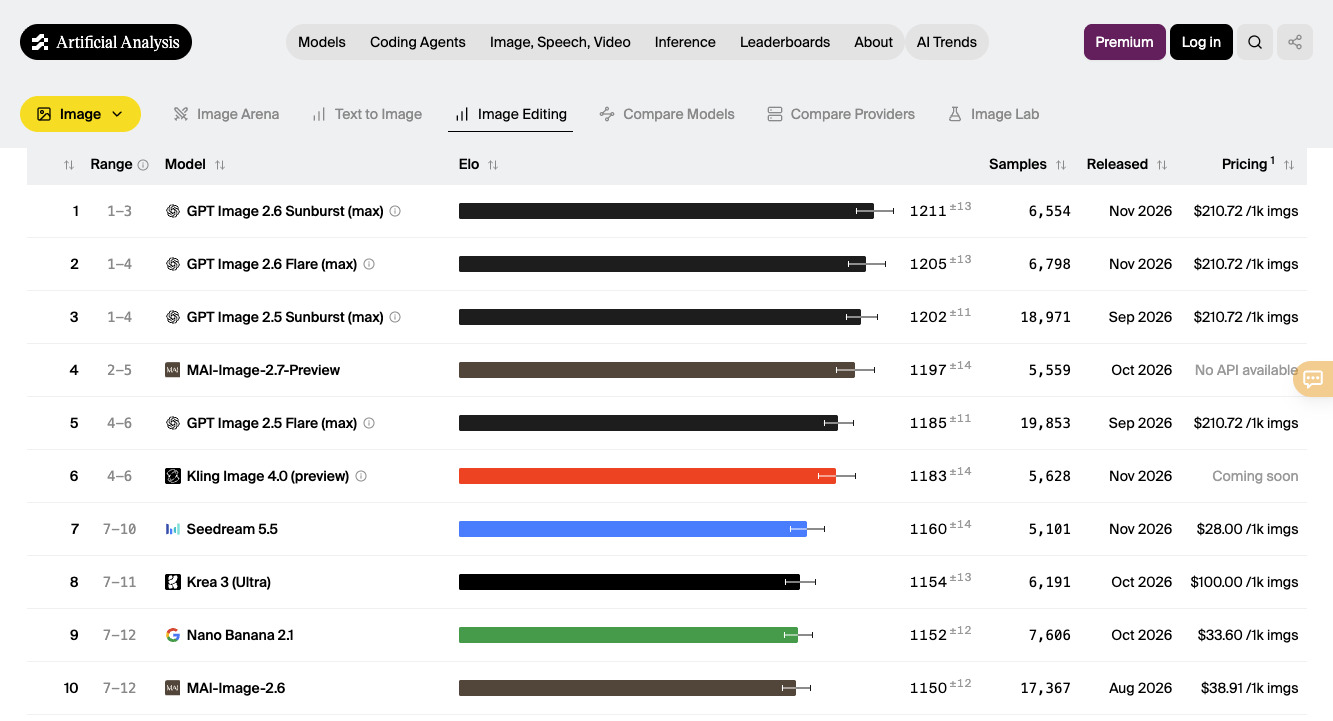
Source: Artificial Analysis Image Editing Leaderboard (AA-Image-Editing v2.1)
| Editing Engine | AA-Image-Editing v2.1 Elo | Public Price / 1k Imgs | Best Studio Use Case |
|---|
| GPT Image 2.6 Sunburst | 1,211 Elo (#1) | $210.72 | Complex layout restructuring & heavy text replacement |
| Seedream 5.5 | 1,160 Elo (#7) | $28.00 | 100-round sequential character & outfit preservation |
| Nano Banana 2.1 / 3.0 Workspace | 1,152 Elo (#9 baseline) | $33.60 (API baseline) | Natural single-pass relighting, multi-reference fusion & up-to-4K output |
| FLUX 3 Image | 1,119 Elo (#12) | $48.00 | Structural architectural & node-based layout control |
How do you combine multiple references inside the Nano Banana 3.0 workspace?
The live Nano Banana 3.0 studio is built as a unified multi-model workspace that pairs natural-language prompts in any language with multi-reference uploads and up-to-4K output resolution — while also giving creators direct access to Google Nano Banana, Seedream, Flux, Google Veo, and Grok under one account.
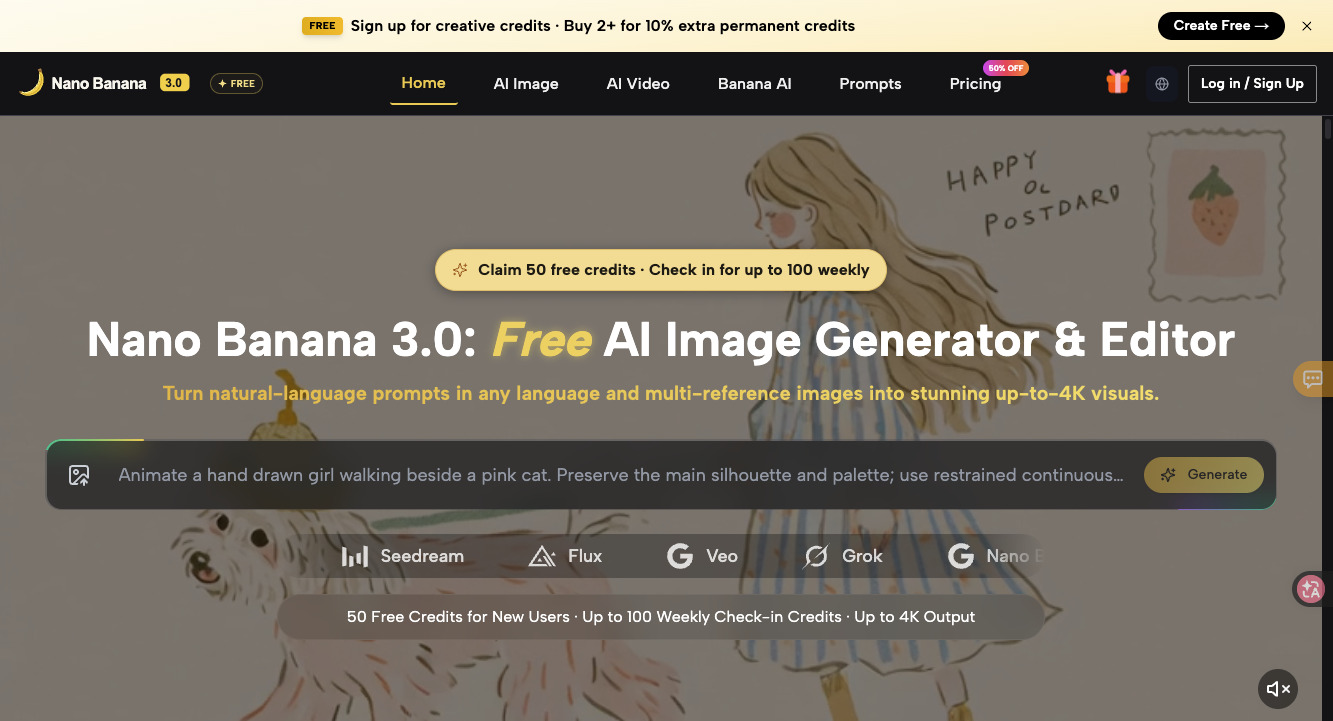
Source: nanobananasi.com Multi-Reference Studio Workspace
What it does: Lets you upload your hero product or portrait alongside environment and prop references, then Fuse them into a single cohesive scene with matched lighting — insider credit-saving tip: claim the 50 free welcome credits and up to 100 weekly check-in credits on nanobananasi.com to test your lighting prompts at standard resolution first, and when buying one-time credit packs, select 2+ packs to unlock the +10% permanent bonus (4,800 base credits + 480 permanent bonus = 5,280 non-expiring credits).
MULTI-REFERENCE PRODUCT & SCENE FUSION PROMPT (ATTACH @product_ref + @lighting_ref):
Use Image 1 as the strict geometry and label reference for the matte terracotta ceramic espresso cup. Place it on the sunlit linen cafe table from Image 2 beside the fresh monstera leaf from Image 3. Match the warm 3500K morning window side-light, cast a soft natural contact shadow across the woven linen mat, keep 50mm f/2.8 shallow depth of field, and export at crisp 4K detail.
Where multi-reference editing falls short, honestly:
- Unverified standalone "Nano Banana 3.0" checkpoint on AA: While the
nanobananasi.com workspace brands its upgraded multi-reference 4K studio around Nano Banana 3.0, Google's highest publicly benchmarked entry on the Artificial Analysis leaderboard as of November 2026 is Nano Banana 2.1 (1,152 Elo Editing, 1,176 Elo Text-to-Image) alongside Nano Banana 2 (Gemini 3.1 Flash). Treat "3.0" as the studio's multi-engine 4K workflow tier rather than a separate Google paper.
- More than 4 simultaneous object references: Feeding six or seven unrelated props into a single prompt dilutes spatial attention. Fuse 2 to 3 core references in Pass 1, then add secondary props in Pass 2.
- Microscopic curved serif text on bottles: If your product bottle has 6pt gold-foil ingredients text wrapped around a cylinder, heavy relighting passes can slightly soften letter edges — composite the raw label vector in post if the shot is going to print.
How should you route tasks across the workspace's model bar?
Because nanobananasi.com includes five model families on its home bar, you can route each step of a campaign to the strongest engine without buying five separate subscriptions:
| Studio Task | Best Engine in Workspace | Resolution Target | Why It Wins |
|---|
| Natural Relighting & Multi-Ref Fusion | Google Nano Banana | 2K -> 4K | Top-tier color temperature & shadow harmony (6% ahead on single-pass relights) |
| 100-Round Outfit & Face Lock | Seedream | 2K | Pixel-level preservation of untouched background/face areas |
| Hard Architectural Grids & Props | Flux | 2K | Rigid perspective lines for interior & industrial design |
| turning Approved Stills into Motion | Google Veo | 1080p Video | Animates your finished 4K product still directly inside the same credit pool |
Got any questions left?
Can I write prompts in Japanese, Korean, or Spanish inside Nano Banana 3.0?
Yes — the workspace natively parses natural-language editing instructions across major languages without requiring manual English translation, while keeping quoted brand names and English packaging text intact.
How do the free check-in credits and 2+ pack bonuses work?
Every registered account can claim 50 welcome credits at sign-up and check in weekly for up to 100 additional free credits. On /pricing, buying 2+ credit packs adds +10% extra permanent credits (4,800 + 480 = 5,280 credits) that never expire.
Should I generate at 4K on my very first test prompt?
No — run 3 to 4 quick composition checks at standard 1K/2K resolution to verify that contact shadows and reflections look physical, then trigger the 4K pass only on your winning seed.
