Since its inception in 2013, OWASP Dependency-Track has been at the forefront of analysing Software Bill of Materials (SBOM) for cybersecurity risk identification and reduction. Dependency-Track allows organisations and governments to operationalise SBOM in conformance with U.S. Executive Order 14028 and more recently the European Union's Cyber Resilience Act.
In a previous blog post I briefly discussed how the EU's CRA requires SBOM generation across the software developer lifecycle, should be generated at build time, and should enrich the SBOM with vulnerability data in order to demonstrate whether a given software dependency or library is likely to be exploited or not. When talking about SBOMs, there are 2 industry-recognised formats - SPDX (under the Linux Foundation) and CycloneDX (maintained by OWASP). Dependency-track specifically supports the OWASP CycloneDX BOM format, which is defined in the NTIA Minimum Elements for SBOMs.
So what does Dependency-Track do?
Dependency-track consumes and analyses the SBOMs we just mentioned for known security, operational, and license-related risks. The tool is ideal for use in procurement and continuous integration and delivery environments - which is crucial when trying to meet the requirements of the US EO14028 or the EU CRA. Dependency-track supports the OWASP CycloneDX Vulnerability Exploitability Exchange (VEX) format exceeding the existing VEX requirements defined by CISA.
In short, dependency-track is an intelligent Component Analysis platform that allows organisations to identify and reduce risk in the software supply chain. Dependency-Track takes a unique and highly beneficial approach by leveraging the capabilities of the existing SBOM, an approach that provides capabilities that traditional Software Composition Analysis (SCA) solutions cannot achieve.
Dependency-Track monitors component usage across all versions of every application in its portfolio in order to proactively identify risk across an organisation. The platform has an API-first design and is ideal for use in CI/CD environments. And that's what we'll demonstrate in this short blog post.
How to install Dependency-Track
There are a bunch of ways to install or deploy dependency-track - either as a Kubernetes workload via Helm, or as a standalone executable. I opted for the simple Docker Compose quickstart.
curl -LO https://dependencytrack.org/docker-compose.yml
docker-compose up -d
This install was super quick. I was then able to access to the locally-hosted GUI via the below URL. By default, the dependency-track frontend runs on port 8080.
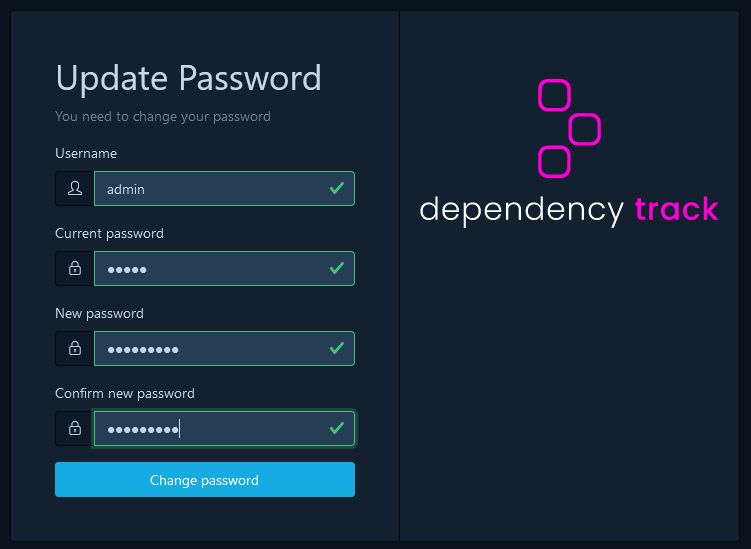
First Step: It will immediately force you to change that password. Pick something secure and log back in.
Building an SBOM
Since this is a quickstart guide, we will go down the manual workflow. But realistically you will be looking to automate this entire workflow through CI/CD. The first thing we need to do is create an SBOM. There are various scanners such as Trivy and Grype to achieve this, so I'll be using Grype.
In the below command, the Grype scanner pulls the Ollama image from Docker Hub, on version 0.1.32. Notice how the report is exported in output (-o) of CycloneDX JSON.
grype ollama/ollama:0.1.32 -o cyclonedx-json > ollama_v0.1.32.json
The file itself is called ollama_v0.1.32.json - I decided to add the full SBOM output for one random Docker Image SBOM just to give you an idea of how much information is contained within these SBOMs. In the below snippet, we can the format, and version of the format that created this SBOM. We get a component for the scanned image, but also for the scanner itself. What makes the SBOM so long, and ultimately hard to read, is all the software dependencies and transitive dependencies of those software dependencies that we ultimately did not write. They are just small chunks of code baked into the layers of this Ollama Docker Image.
{
  "$schema": "http://cyclonedx.org/schema/bom-1.6.schema.json",
  "bomFormat": "CycloneDX",
  "specVersion": "1.6",
  "serialNumber": "urn:uuid:fc5a8286-c9dc-4785-8de0-7ff703ebcf98",
  "version": 1,
  "metadata": {
    "timestamp": "2026-05-04T12:17:33+01:00",
    "tools": {
      "components": [
        {
          "type": "application",
          "author": "anchore",
          "name": "grype",
          "version": "0.100.0"
        }
      ]
    },
    "component": {
      "bom-ref": "56a120ff045b7287",
      "type": "container",
      "name": "ollama/ollama",
      "version": "0.1.32"
    },
    "properties": [
      {
        "name": "syft:image:labels:org.opencontainers.image.ref.name",
        "value": "ubuntu"
      },
      {
        "name": "syft:image:labels:org.opencontainers.image.version",
        "value": "22.04"
      }
    ]
  },
Pushing an SBOM to dependency-track
To publish CycloneDX BOMs, use a valid API Key and Project UUID. Finally, Base64 encode the BOM and insert the resulting text into the ‘bom’ field. Since this is a test workflow, and we don't have any project's created, and therefore no associated Project UUID, we can create all this only the fly without any need for Base64-encoding. We simply push the ollama_v0.1.32.json file to the dependency track API with our newly-created API;
curl -X "POST" "http://localhost:8081/api/v1/bom" \
     -H 'Content-Type: multipart/form-data' \
     -H "X-Api-Key: $DTRACK_API_KEY" \
     -F "autoCreate=true" \
     -F "projectName=ollama" \
     -F "projectVersion=0.1.32" \
     -F "bom=@ollama_v0.1.32.json"
For GitHub workflow environments the Dependency-Track GitHub Action is recommended.

Vulnerability Intelligence
If using a vulnerability scanner like Grype, you might notice that the vulnerability data doesn't always match exactly the same in dependency-track. As you can see from the output of Grype scanner, I have 3 Critical and 22 High severity vulnerabilities associated with that Ollama docker image.

In the dependency-track UI, we see 4 Critical and 15 High. Definitely not the same result from our Grype scanner during SBOM generation.

It usually boils down to a difference in Vulnerability Databases and Matching Logic. While both tools are looking at the same SBOM, they are using different informed data to interpret it.
Uses its own proprietary database (vunnel), which aggregates data from the NVD, GitHub Advisories, and specific Linux distro feeds (like Ubuntu or Alpine security trackers). Whereas, dependency-track usually relies on the NVD via API and the GitHub Advisory Database - which probably explains why the data is not correct. Happy for people to provide surrounding context here in the comments.
My other theory is that a vulnerability might be a critical (9.8) in one tool using CVSS v3.1, but the other tool might still be displaying the CVSS v2 score, which might only be a High (7.5). Dependency-track apparently allows you to toggle which scoring method you want to prioritise in its settings, so this is something I will explore further.

Exploit Prediction Scoring System (EPSS)
The EPSS (exploitability) vs. CVSS (generic vulnerability scoring) might be a little confusing at first. While a CVSS score is a point-in-time score, and is often not updated in those NVD records, the EPSS score is designed as an ML Model to continuously update on a daily basis, globally, to look at the likelihood of being exploited - based on evolving environmental factors. If a specific CVE is getting exploited in the wild, the chances of this CVE being exploited in your environment naturally goes up - even if the CVSS score never changes. I wrote a dedicated Cloudsmith blog post on the difference between these existing scoring systems.

VEX Reporting
The existing VEX documentation is kinda limited in the official dependency-track docs site. As a result, I will write a separate, dedicated blog post on VEX that goes outside of the scope of this similar getting started guide. We'll talk about VEX in more details, and why applying analyses from a VEX document to this project is critical will help us meet the requirements of CRA without constantly panicking about new CVE IDs.

Unlike EPSS alone, understanding the genuine impact of vulnerabilities is essential for risk management, and CycloneDX achieves this by representing exploitability data through VEX. Unlike general vulnerability disclosures, VEX focuses on whether a vulnerability in a component can actually be exploited in its specific context. This clarity helps organisations prioritise responses, reducing unnecessary mitigation efforts and ensuring resources are focused on critical risks.
Hope you enjoyed this blog post!