Gm Hackers
Just as I promised there is a second episode of my post on dev.to. This article will be on Private browsers. So without further to do, let's go straight to the main point.
Browsers
We've got private OS, private messengers, now it's time to talk about private browsers so that you're not screwed and spied by simply browsing through the internet.
There are couple of privacy options that are worth switching to. The Browsers are following:
- Tor Browser
- Brave
- Firefox
- LibreWolf
- Mullvad Browser
- DuckDuckGo
Tor Browser — The Gold Standard

Tor's the closest you get to truly untraceable. Here's what makes it beast-level:
Onion routing: Your traffic bounces through minimum 3 encrypted nodes. Even if someone sniffs the exit node, they can't connect it back to you because the previous relay is encrypted.
Letterboxing: Rounds your screen resolution to standard buckets (1000x1000, 1400x900, etc.) so sites can't fingerprint you via screen dimensions.
First-Party Isolation (FPI): Cookies are isolated per-domain. A tracker pixel from Facebook can't see what you did on Amazon because they're treated as completely separate contexts.
Standardized everything: User agent, fonts, extensions—everyone looks identical on the network, so statistically you're hidden in a crowd of thousands.
Tradeoff: Slower (routing overhead), some site breakage from hardened CSP/XSS protections.
Brave

Brave is the pragmatic choice for daily use. You get strong protections without sacrificing UX:
Shields: Built-in tracker blocking (uses multiple blocklists) + ad blocking at the rendering level. No extensions needed.
Script sandboxing: Third-party scripts execute in isolated contexts, limiting their ability to communicate across sites.
Cookie isolation: Tracks HTTPS/HTTP + domain separation so cross-site tracking is harder.
Fingerprint randomization: Changes some fingerprinting vectors (Canvas, WebGL) on reload.
Additionally when it comes to features that some people might search for, is actually ads-blocking so you can enjoy watching youtube without any ads and I think it's awesome, I remember how much I suffered because of stupid ads that were kind of targeted at me by youtube.
Brave supports extensions as it's based on chromium engine.
It supports also in-background running by default so you don't have to spend monthly on spotify subscription or something else. You can run youtube music on brave and you have the same effect.
Firefox
I was honestly shocked it is privacy browser, because as I was younger I always associated it with spyware. However Firefox turns out to be privacy respecting.
Firefox lets you actually own your privacy config:
Total Cookie Protection (ETP): Isolates cookies in a "cookie jar" per website. Cross-site tracking via cookies is blocked by default.
Container tabs: Firefox Multi-Account Containers segregate cookies/data per container, so different "identities" don't bleed together.
Advanced hardening via about:config: You can disable WebGL, limit canvas fingerprinting, disable plugins, tweak timing attacks, etc.
Catch: Requires manual tuning for maximum security. Stock Firefox is good, but paranoid Firefox requires config knowledge.
Furthermore, they added 50GB Free VPN recently for every user. And firefox is one of the only browsers that support extensions/add-ons in mobile browsers, so if you have something like blocking keywords or you basically want to add nsfw extensions to your phone it's a good solution to use firefox, while keeping you private.
Mullvad Browser
This is the Tor Project + Mullvad VPN collab. Basically:
Takes Tor's hardening tech (letterboxing, FPI, standardized fingerprints).
Removes the onion routing overhead.
Assumes you'll pair it with a external VPN for network-level privacy.
Key quirk: Zero persistent state. You log out when you close the browser. No bookmarks saved, no history. That's intentional—harder to track habits.
LibreWolf
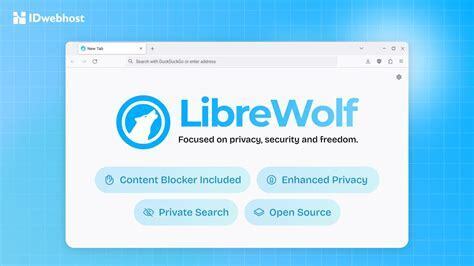
LibreWolf's Firefox with Mozilla's telemetry ripped out + pre-baked security config:
No telemetry, no studies, no data sharing with Mozilla.
Ships with hardened about:config by default.
uBlock Origin pre-installed.
Minimal network calls back to Mozilla servers.
Perfect if: You like Firefox's ecosystem but want Mozilla's data collection gone.
DuckDuckGo Browser
I actually used to use Duckduckgo as a browser, but because it was annoying that they had no extensions support for mobile apps. I would rather treat it as quick-search browser and nothing else. However I do use DuckDuckgo products and I really appreciate them. Also they do not support the in-background running by default just as firefox, so you're prolly need an extension for it.
Core Privacy Tech Stack
Search Layer (No Tracking)
Zero search history storage: DuckDuckGo doesn't save or tie your searches to you. Compare that to Google storing everything linked to your account.
No user profiles: Unlike Google's ad-targeting, they literally can't build a profile because they don't collect the data in the first place.
Business model is honest: Makes money from context-based ads (ads based on what you're currently searching, not your history), not behavioral targeting. This is key—it removes the incentive to spy on you.
Third-Party Tracker Blocking (The Heavy Hitter)
This is where DDG flexes. They've built multiple overlapping protections:
3rd-Party Tracker Loading Protection — Blocks trackers before they even load
Uses Tracker Radar (their own open-source web crawler) to identify tracking domains
Prevents requests to known trackers (Google Analytics, Facebook pixels, etc.) from being sent at all
This is crucial: Stops your IP + other identifiers from being sent
to tracker endpoints
3rd-Party Cookie Protection — Isolates cookies per domain
A Facebook tracker pixel on Amazon can't see what you did there
1st-Party Cookie Protection — Protects against persistent cookies on individual sites
CNAME Cloaking Protection — Blocks sneaky tracker domains hidden under first-party CNAME records
Tech companies sometimes mask tracker domains to look like the site's own domain to bypass cookie protections
Fingerprinting Protection
Randomizes canvas/WebGL fingerprinting vectors
Limits what scripts can detect about your device
Google-Specific Protections (Because Google is Everywhere)
They literally have dedicated protections for Google's tracking schemes:
Google AMP Protection — Strips Google AMP wrappers that let Google track your clicks
Google Topics Protection — Blocks Google's Topics API (their creepy replacement for third-party cookies)
Google Protected Audience API Protection — Blocks FLEDGE (their new ad auction system that still tracks you)
Google Sign-In Pop-Up Protection — Removes those annoying "Sign in with Google" nags
Link Tracking Protection
Strips tracking parameters from URLs before you click
Example: amazon.com?utm_source=facebook&utm_medium=ad gets cleaned to just amazon.com
Referrer Tracking Protection
Blocks the HTTP Referer header from leaking where you came from
Encrypted Connections (Smarter HTTPS). Automatically upgrades to HTTPS when available. Prevents ISP/network-level snooping.
Email Protection
Generates unique @duck.com email aliases when signing up for services. Aliases forward to your real email but mask your identity
Strips email tracker pixels before forwarding
Example: You get Emails are not allowed, give it to a sketchy site, it forwards to your real inbox but without the tracking pixel
Duck Player (YouTube)
Strips YouTube's tracking and disables personalized recommendations
Reduces invasive ads. Your video views don't pollute your YouTube history.
Cookie Pop-Up Protection
Automatically clicks the most privacy-friendly option on GDPR/CCPA pop-ups. Then hides the pop-up so you don't see it again.
The Fire Button
One-click nuke of recent browsing data. Clears locally stored data instantly.
Global Privacy Control (GPC)
Sends a standard signal to websites telling them not to sell/share your data.Works via HTTP header + JavaScript signal (platform-dependent). On Windows, it sends both header + JS. On Mac, JS only for compatibility reasons.
Summary
That was it about private browsers, and how about you ? What browser do you actually use ? Feel free to leave the comment, leave a like to let such content be more visible and popular among people. Next and last of my first post on dev.to will be about Search Engines. Again if you want to contact me, go checkout my website !
Till next time, cheerio !