title: Installing and Configuring n8n on a Raspberry Pi (Private Home Server)
published: true
date: 2026-03-23 14:49:52 UTC
tags: raspberrypi,n8n,ai,aiagent
GitHub - mahinshanazeer/n8n-home-server: Installing and Configuring n8n on a Raspberry Pi (Private Home Server)

Introduction
Automation is becoming a core part of modern workflows, whether for DevOps, personal productivity, or integrations. n8n is a powerful, open-source workflow automation platform that allows you to create custom integrations with full control over your data.
In this guide, we will set up n8n on a Raspberry Pi using Docker, configured for private network access (no domain, no SSL) — ideal for home labs.
Why Self-Host n8n on Raspberry Pi?
- Low-cost, always-on device
- Full data privacy (no third-party cloud dependency)
- Perfect for home lab and DevOps experimentation
- Lightweight yet powerful automation engine
Prerequisites
Ensure the following are ready:
- Raspberry Pi (Pi 4/5 recommended, 4GB+ RAM)
- Linux OS (Ubuntu Server / Raspberry Pi OS Lite)
- Docker & Docker Compose installed
- Static private IP (recommended)
Project Structure
We will keep everything inside a single directory:
~/n8n/
├── .env
├── docker-compose.yml
├── n8n-data/
└── local-files/
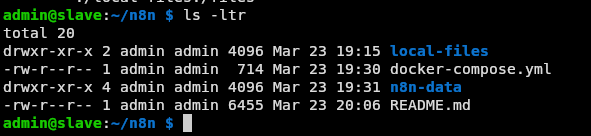
directory structure
This approach ensures:
- Easy backup
- Clean portability between systems
- Full control over persistent data
Step 1: Create Project Directory
mkdir -p ~/n8n && cd ~/n8n
mkdir n8n-data local-files
Step 2: Create Environment Configuration
Create a .env file:
nano .env
Add the following:
N8N_HOST=192.168.1.200
N8N_PORT=5678
N8N_PROTOCOL=http

WEBHOOK_URL=http://192.168.1.200:5678/

GENERIC_TIMEZONE=Asia/Kolkata

N8N_SECURE_COOKIE=false
Key Notes:
- N8N_HOST → Your Raspberry Pi private IP
- WEBHOOK_URL → Required for workflows
- N8N_SECURE_COOKIE=false → Mandatory for HTTP access
Step 3: Create Docker Compose File
Create docker-compose.yml:
services:
  n8n:
    image: docker.n8n.io/n8nio/n8n
    container_name: n8n
    restart: always
    ports:
      - "5678:5678"
    environment:
      - N8N_HOST=${N8N_HOST}
      - N8N_PORT=${N8N_PORT}
      - N8N_PROTOCOL=${N8N_PROTOCOL}
      - N8N_ENFORCE_SETTINGS_FILE_PERMISSIONS=${N8N_ENFORCE_SETTINGS_FILE_PERMISSIONS}
      - N8N_SECURE_COOKIE=${N8N_SECURE_COOKIE}
      - NODE_ENV=${NODE_ENV}
      - WEBHOOK_URL=${WEBHOOK_URL}
      - GENERIC_TIMEZONE=${GENERIC_TIMEZONE}
      - TZ=${GENERIC_TIMEZONE}
    volumes:
      # n8n data: SQLite database and encryption key
      - ./n8n-data:/home/node/.n8n
      # Shared files between n8n and host (use /files path inside n8n)
      - ./local-files:/files
Step 4: Start n8n
docker compose up -d
Verify:
docker compose ps
Step 5: Access n8n
Open in browser:
http://192.168.1.200:5678
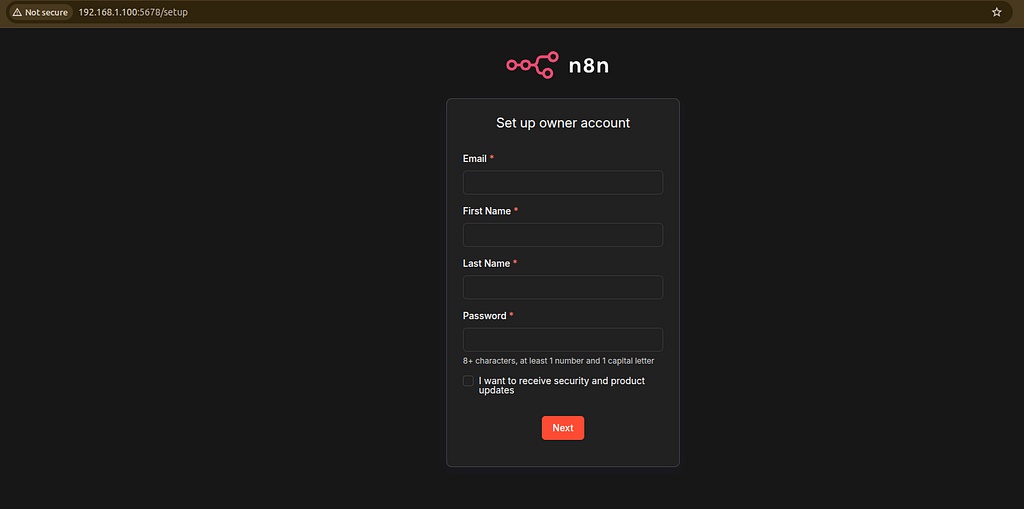
home page
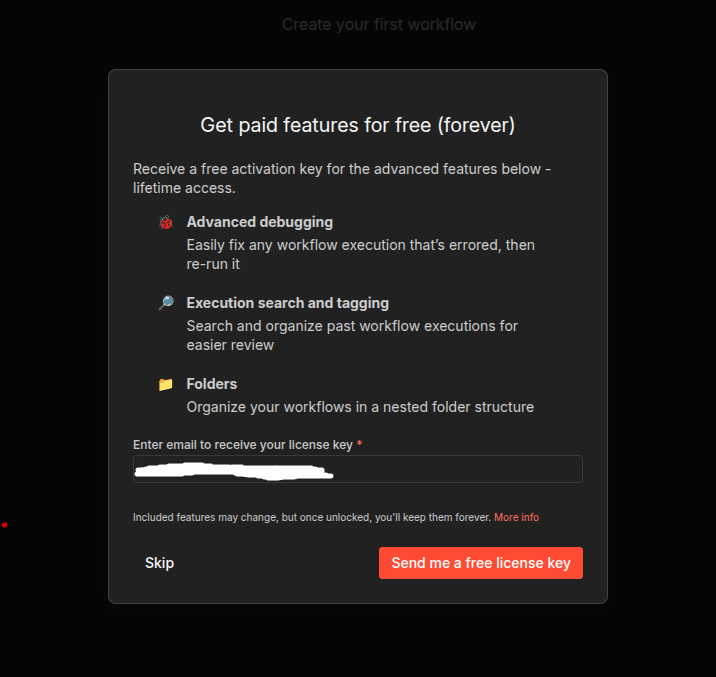
- Create your admin account
- Start building workflows (will create another blog on building workflows)
Common Issue (Important)
Secure Cookie Error
You may see:
“Your n8n server is configured to use a secure cookie…”
Fix:
Set in .env:
N8N_SECURE_COOKIE=false
Restart:
docker compose down
docker compose up -d
Data Persistence
All important data is stored in:
~/n8n/n8n-data
This includes:
- Workflows
- Credentials
- SQLite database
Github: https://github.com/mahinshanazeer/n8n-home-server
