Qwen Image Models Realism is Now Next Level & Tutorial for Object Removal, Inpainting & Outpainting
It is time to reach next level realism with Qwen Image Models
Info
In this tutorial, I’ll show you how to take your Qwen image generations to the next level of realism using our one‑click installers and presets. I’ll also walk you through simple, effective inpainting and outpainting with the popular SwarmUI, which uses ComfyUI as its backend and supports nearly all major generative AI image and video models. Finally, I’ll demonstrate how to remove unwanted objects or image elements using the FLUX Fill Dev model in SwarmUI, so you can fix flawed images quickly and effortlessly.
My Custom SwarmUI Installer, Model Auto Downloader & Presets Pack
[➡️ [https://www.patreon.com/posts/SwarmUI-Installer-Presets-Model-Downloader-114517862](https://www.patreon.com/posts/SwarmUI-Installer-Presets-Model-Downloader-114517862) ]
SwarmUI Install & How To Use Tutorial
[➡️ [https://youtu.be/c3gEoAyL2IE](https://youtu.be/c3gEoAyL2IE) ]
Qwen Image Models Full Training Tutorial
[➡️ [https://youtu.be/DPX3eBTuO_Y](https://youtu.be/DPX3eBTuO_Y) ]
Levo Song Generator Premium App
[➡️ [https://www.patreon.com/posts/secourses-levo-i-135592123](https://www.patreon.com/posts/secourses-levo-i-135592123) ]
Video Chapters
00:00:00 Introduction to Three New Presets
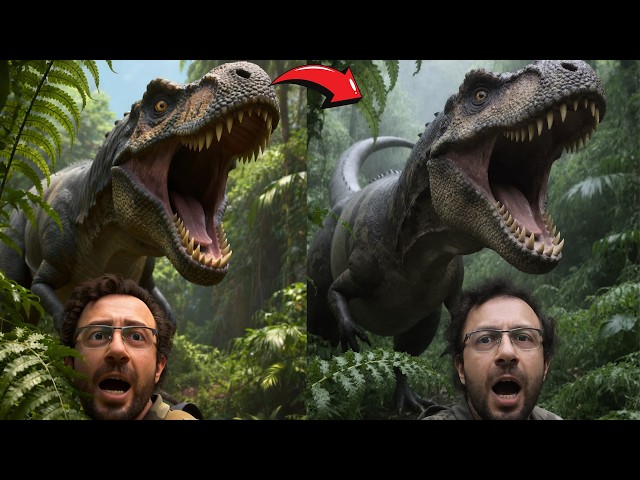
00:00:18 'High Realism' Preset: First Before & After Comparison
00:00:31 Adjusting LoRA Weight for More Realism
00:01:04 Applying Realism to Complex & 'Hard' Prompts
00:01:54 How the Realism Workflow Was Developed
00:02:10 Important Note: Images are from Grids, Not Cherry-Picked
00:02:37 Using the 'High Realism' Preset on the Base Qwen Model
00:03:22 Preview: Fast & High-Quality Inpainting Demonstration
00:03:48 Preview: Massive Image Outpainting Workflow
00:04:24 Preview: Using Inpainting to Remove Unwanted Text
00:04:49 Introducing the 'Ultra Realism' Preset for Realistic Prompts
00:05:02 'Ultra Realism' Trade-off: Losing Fantasy Prompt Capability
00:05:30 Best Use Case for the 'Ultra Realism' Preset
00:06:06 How to Update SwarmUI with the Latest Files
00:06:24 Links to Previous Installation & Training Tutorials
00:07:08 Running the Model Downloader Script
00:07:20 Locating the New Realism LoRAs & FLUX Fill Model
00:08:18 How to Import New Presets (Automatic & Manual Methods)
00:09:04 Practical Demo: Applying the 'High Realism' Preset
00:10:02 Pro Tip: Generate Multiple Images Before Upscaling
00:10:23 Adjusting LoRA Strength & Comparing with 'Ultra Realism'
00:11:42 Inpainting Setup: Loading an Image & Applying a Preset
00:12:18 Adjusting the Canvas & Resolution for Inpainting
00:12:58 Masking the Face for Inpainting
00:13:13 Applying the Inpainting Preset & Adjusting Step Count
00:14:32 Generating Multiple Inpainted Versions to Find the Best
00:15:04 How to Merge the Inpainted Result into the Full Image
00:16:05 Troubleshooting: Inpainting Without 'Mask Shrink Grow'
00:17:03 Fine-Tuning Inpainting with Mask Blur & Creativity
00:18:13 Advanced: Inpainting with the FLUX Model
00:19:55 Pro Tip: Use Precise Masking to Avoid Color Issues
00:21:48 Outpainting Setup: Using the FLUX Fill Model Preset
00:22:34 Outpainting Strategy: Using Smaller Steps for Better Results
00:23:44 Merging the Outpainted Area & Continuing the Expansion
00:24:31 Outpainting on Larger Resolution Images
00:25:31 Advanced: Expanding the Image from Both Sides
00:26:19 Expanding the Image from All Four Sides at Once
00:27:15 Inpainting Use Case: Setting Up to Remove Text
00:28:00 Masking the Text & Configuring Inpainting Settings
00:29:22 Applying the Fix & Merging the Final Image
00:30:25 Bonus Teaser: New Levo Song Generation Model v7
00:31:02 Live Demo: Generating a Full Song Locally
00:32:15 Listening to the AI-Generated Song
00:33:11 Final Words & Future Tutorials
Unlock INSANE Realism in AI Images! (New SwarmUI Presets & Inpainting Workflow)
Tired of your AI images looking fake? This tutorial will completely transform your Qwen model results and give you god-tier control over your creations. I'm revealing three game-changing presets for SwarmUI that will unlock a new level of photorealism and give you powerful editing tools you've been waiting for.
In this in-depth guide, you'll learn how to take your AI art from "good" to "unbelievably real" with my brand new workflows. We'll cover everything from subtle realism enhancements to jaw-dropping image repairs and expansions.
WHAT YOU WILL MASTER IN THIS VIDEO:
Hyper Realism Presets: Learn to use my new 'High Realism' and 'Ultra Realism' LoRA presets to make your images stunningly lifelike without losing prompt complexity.
Flawless Inpainting: Fix faces, correct errors, and seamlessly remove any unwanted objects (like annoying text!) from your images with incredible speed and precision using the FLUX model.
Massive Outpainting: I'll show you my updated workflow to expand your images in any direction, turning a simple portrait into a massive, breathtaking scene.
Step-by-Step Workflow: No steps are skipped! I'll guide you through updating SwarmUI, downloading the new models, and applying each preset for perfect results.
This isn't just about making pretty pictures; it's about giving you the professional tools to perfect every single pixel. Stop settling for mediocre AI art and start creating masterpieces.
Our Initial Workflow vs Realism Workflow Images
Top Images Are Realism New Workflow and Bottom Ones Are Previous Default


