FSCSS Support for Acode is live.
You can write and edit .fscss / .xfscss on your phone with proper highlighting and snippets — not as plain text, and not as broken CSS coloring.
What it does
- Syntax highlighting aimed at FSCSS:
@define, @fun, @obj, @import, @arr, @event, variables, methods, backtick blocks, and related forms
- Works next to normal CSS in the same project
- Snippets so common patterns are faster to type on a small keyboard
Install from the Acode plugin page, open a .fscss file, and the language support should kick in.
Why this matters
A lot of FSCSS work still happens on a laptop (CLI, IDE, VS Code). Mobile is where quick fixes, demos, and “I only have my phone” sessions live. Acode is a solid Android editor; this plugin makes FSCSS files first-class there instead of a gray wall of text.
Same language as everywhere else:
- Browser IDE
npm / CLI - VS Code extension
- Python wrapper
Phone is just another place the syntax is readable.
Real usage shape
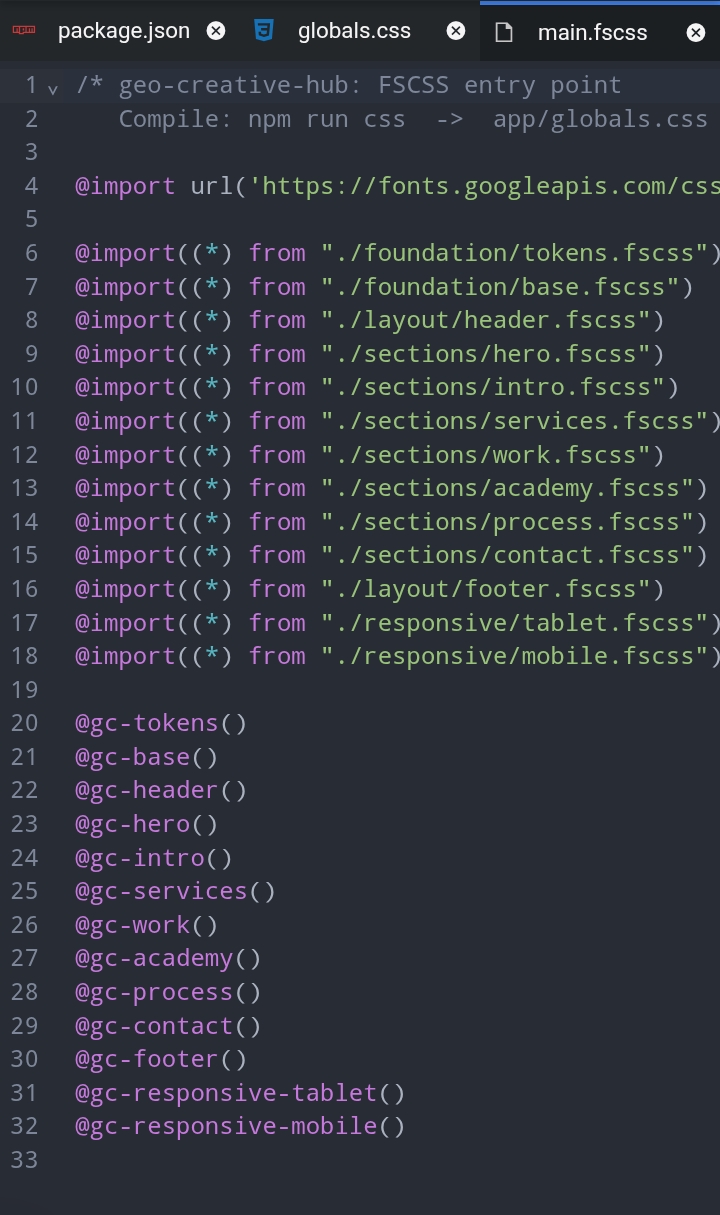
On device you can still follow the same modular layout you use on desktop — entry file, foundation tokens, sections, responsive sheets:
@import((*) from "./foundation/tokens.fscss")
@import((*) from "./foundation/base.fscss")
@import((*) from "./layout/header.fscss")
/* …sections… */

@gc-tokens()
@gc-base()
@gc-header()
Or a minimal file to confirm highlighting and compile in Termux / a local fscss CLI if you have Node on the device:
@define center(elem){`
  @use(elem) {
    display: flex;
    justify-content: center;
    align-items: center;
  }
`}

@center(.box)

body {
  bg: #121212;
}
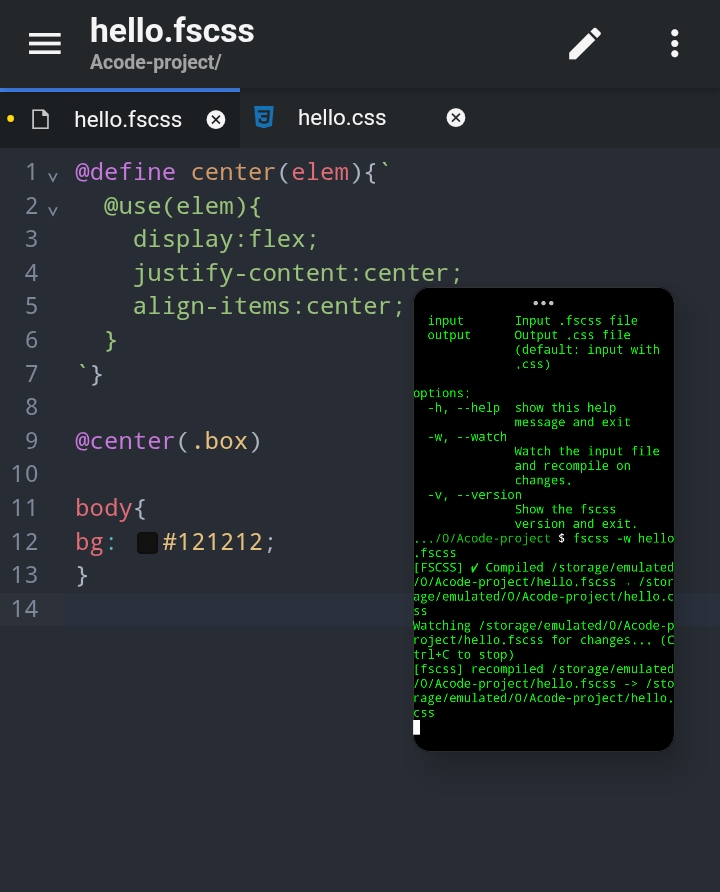
Highlighting is the plugin’s job. Compiling to CSS is still the FSCSS toolchain (fscss CLI, watch mode, or your usual build).
Install
- Open Acode
- Plugins → search FSCSS Support (or use the plugin URL above)
- Install → open any
.fscss / .xfscss file
If you already edit on the phone, this removes the worst part: FSCSS looking like a typo-filled CSS file. Highlighting and snippets won’t replace the desktop IDE for big refactors, but they make mobile a real option for patches, learning, and modular entry files.
Plugin: acode.app/plugin/dev.figsh.fscss
Source: github.com/Figsh/fscss-acode-plugin