When we were about to finish development of our applications in SwiftViews we noticed a pattern in all our data-fetching user flows. In spite of the fact that the apps are all data-driven and looked really dynamic, what really was changing in the same user session wasn’t that much, but we were making http requests for new content regardless.
The easiest solution was caching
Caching where? On the server? We already have that, but this doesn’t stop all our apps hitting our services and thus — increasing the load on them.
Maybe we could use service worker since it allows caching API calls?
Yes, that was one of the options since it already has a pretty nice integration with Angular and allowed for a simple solution to selectively cache resources and APIs. However, what we wanted is to be able to not only choose what to cache, but also when to do it.
Just to give you a quick example — we basically wanted to cache all API call results for the page below, but only if we were certain that the data source did not change in some way.
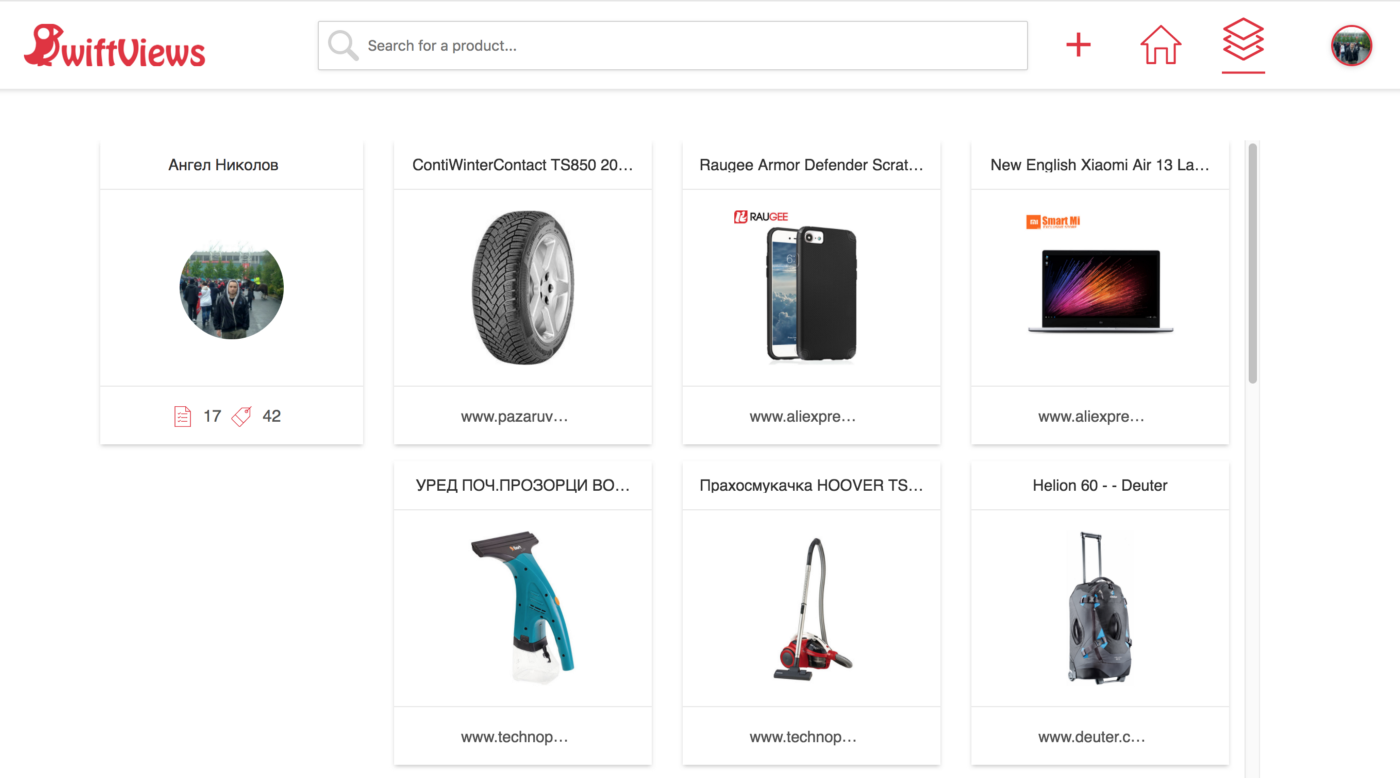
Since this is my personal inventory page, the only way it can actually change is if I add an item from this platform (currently the only way to do so), so I have the information about when this page will change and how long I can return cached content for.
We figured the best way to apply this caching in a selective and configurable way will be to use what the platform already gives us
Since we are using Angular and Typescript ❤️, and all our data calls go through RxJs, we figured that we can create a Cache Observable decorator, which we’d use to only give the caching power to certain methods.
So, before, this was our method which called our server to get the products on the page above:
and that became:
Notice that the @Cacheable() has been applied just to the method we wanted and was also passed cacheBusterObserver which is basically our Subject-based mechanism to tell this exact decorated method to relieve all its caches, when any value is emitted in that stream.
For example, the method below will “cache-bust” the caches of the method above, if the Observable it returns emits a value
This might be the most complex example we have but we also have other configurations implemented like maxCacheCount, maxAge, slidingExpiration and custom cache deciders and resolvers which give us a fine-grain control on what, when and how to cache. See those in the README file.
In the two gifs below, you can see the difference between our app’s performance without and with caching.
https://www.loom.com/share/71a03e4cd478407fa53f131fc112e09a
No Cacheable
The cacheable decorator is not applied yet, so every page load will actually fetch data from the server
https://www.loom.com/share/380a1fa93a9c42d0a5adaa987cd51efb
Cacheable decorator applied
The cacheable decorator is applied and we can see that all consecutive page loads are faster. Also the user profile page loads instantly, because we have already called the /user/{id}endpoint on the inventory page. Also, the cache busts after we add a new item so our user gets fresh data
So, to sum up, this simple decorator allowed us to:
Selectively cache observable methods (not just endpoints, but maybe also computation-heavy calculations in streams)
Improve the performance of our app, without any business logic refactoring (thanks TS decorators ❤️)
Greatly reduce the load on our servers
If you want to use this decorator in your project, just install it from NPM!
npm install ngx-cacheable
If you have any questions about it or want to contribute, don’t mind opening a pull request @github or commenting below.
Also, if you liked the application, please register and build your own inventory @ swiftviews.
Thank you!