An agent opened a pull request on my repo last week. Eleven files changed, three new tests, all green.
So what do you actually check?
You can read the diff. You can read the test file and see what it asserts. Both of those tell you what the agent believes it built. Neither tells you what a person using the thing would see, and that gap is where the interesting failures live.
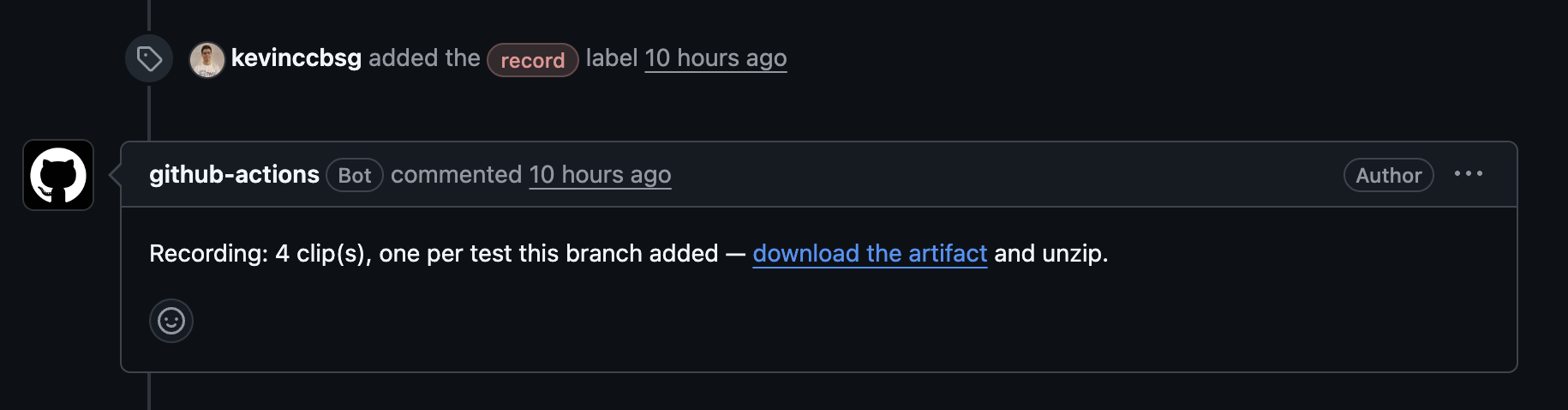
I added a label. A minute later there was a comment on the pull request:
Recording: 3 clip(s), one per test this branch added.
Three short videos. One per test the branch added. I watched them in under a minute and knew more than the diff had told me in five.
The green tick got cheaper
For twenty years a passing test was a reasonable proxy for "someone thought about this". A human wrote the test, then wrote code until it passed. The test carried the intent of a second person, or at least of the same person on a different day.
When an agent writes the code and the test that proves the code, that separation is gone. The test is not an independent check. It is the same model's opinion, expressed twice.
That does not make the test worthless. It makes it a claim rather than evidence, and claims need checking in a way that evidence does not.
The cheapest check I have found is watching the thing run.
A test file tells you what it asserts, not what it looks like
Here is a test that passes and proves nothing useful:
const el = await screenDom.findByRole("button", { name: "Add project" });
twd.should(el, "be.visible");
The button exists. It is visible. The test is green.
It is also possible that the button sits on top of the heading, that the empty state it belongs to renders below the fold, or that clicking it does nothing at all because nobody asked for that yet. All of those are consistent with a green run and none of them are visible in the test file.
You do not find those by reading harder. You find them by looking.
Deterministic, not a demo
The distinction that makes this useful rather than decorative: the clip is produced by the run, not recorded by a person.
A demo video is a performance. Somebody walked through the app once, on their machine, at a moment when it happened to work, and the recording starts going stale the second it is saved. Six months later it shows a UI that no longer exists, and nobody notices because nobody regenerates it.
A test recording is the same execution that produced the green tick, captured. Re-run the suite and you get a new clip. Change the behaviour and the clip changes with it, or the test fails and there is no clip at all. It cannot drift from the code, because it is the code running.
That is what makes it safe to attach to a pull request and safe to keep.
The pacing detail that makes it watchable
The first time I tried recording a test suite I got a video that was mostly a flash. Tests run in milliseconds. A faithful recording of a fast test is unwatchable, which is why most attempts at this quietly get abandoned.
twd-cli paces the execution itself rather than slowing the video down afterwards:
npx twd-cli run --record --test "checkout flow"
Frames are captured at full rate and the pauses land where something just happened. The default is 300ms between actions, and --record-pace moves it:
npx twd-cli run --record --record-pace 500 --test "checkout flow"
The difference between pacing the run and slowing the file matters more than it sounds. A slowed-down video is uniformly sluggish. A paced run has rhythm: the click, then a beat, then the thing that happened. You can follow it.
Output is one file per matched test, named after the test:
twd-artifacts/
  todos-adds-a-todo.mp4
  todos-marks-a-todo-done.mp4
In CI, record only what changed
Recording an entire suite on every pull request produces an archive nobody opens. The version that gets watched records only the tests the branch added or modified:
uses: BRIKEV/twd-cli/.github/actions/record@v1.8.0
with:
  changed-since: ${{ github.event.pull_request.base.sha }}
The action installs ffmpeg, runs the recording, uploads the clips as an artifact, and gives you back a count and a URL you can put in a pull request comment. The inputs are documented at twd.dev/recording#recording-in-ci.
Three clips on a pull request is a review aid. Four hundred clips is a data retention problem.
Who it is actually for
The person who cannot read the test. A product owner can watch fifteen seconds and say "that is not what I meant". They cannot say that about a test file, and they will not tell you they cannot read it. They will just approve.
You, in six months. The pull request that changed this behaviour has a clip in it. That is a faster answer to "what did this used to do" than any amount of archaeology.
You, at 5pm. Reviewing agent output is a new and genuinely tiring kind of work. The bottleneck stopped being how fast code gets written and became how much of it you can actually check. Video is the highest bandwidth per second of attention I have found.
What it costs
A label, or one flag. Recording requires ffmpeg 8 or later, and twd-cli validates it before launching the browser so you get a clear failure rather than a corrupt file.
In my repo it is a record label on the pull request, applied after the agent has finished. Not automatic, because not every change is worth a video, and the person deciding that is me.
That is the whole trade. A minute of CI and a minute of watching, against approving a diff you skimmed because it was green.


