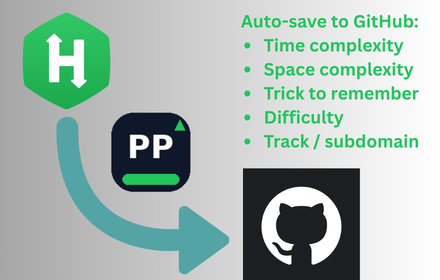
I practice on HackerRank a lot. The problems are fine, but I kept losing my own work.
I'd solve something, move on, and weeks later I couldn't remember:
- What trick I used
- The time/space complexity of my solution
- Where I even saved the code
Copy-pasting into random files didn't scale. I wanted a GitHub repo that looked like interview prep, not a junk drawer.
So I built PrepPush — a Chrome extension that watches for Accepted submissions and pushes them to your GitHub repo automatically.
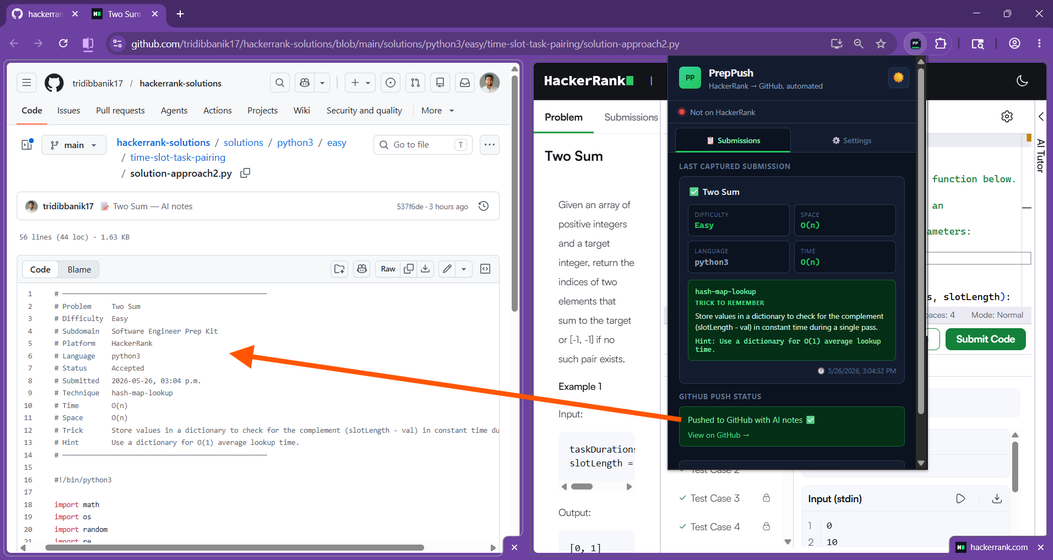
The workflow I wanted
- Solve a problem on HackerRank
- Click Submit Code until it's Accepted
- Code lands on GitHub — organized, labeled, ready to revise before interviews
No manual copy-paste. No forgetting which approach was approach1 vs approach2.
What shows up on GitHub
Each accepted solution goes here:
solutions/{language}/{difficulty}/{problem-slug}/solution-approach1.py
If you solve the same problem with a different algorithm, you get solution-approach2.py, and so on.
Re-submitting the same logic updates the same file — no duplicate spam.
Example header PrepPush adds to the file:
# Link        https://www.hackerrank.com/challenges/alternating-characters/problem?isFullScreen=true
# Problem     Alternating Characters
# Difficulty  Easy
# Subdomain   Strings
# Language    python3
# Submitted   2026-07-25, 10:46 a.m.
# Technique   linear-scan-adjacent-comparison
# Time        O(n)
# Space       O(1)
# Insight     The algorithm counts the total number of adjacent character pairs that are identical, which corresponds to the minimum number of deletions required to eliminate all consecutive duplicates.
# Interview   Before: "I could use a stack to track characters and pop duplicates." After: "A linear scan is more efficient at O(n) time and O(1) space, as we only need to compare each character with its immediate predecessor to identify necessary deletions."
# Pitfalls    (1) Failing to handle empty strings or single-character strings, which the code explicitly guards against to return zero.  (2) Incorrectly indexing the loop by starting at zero instead of one, which would cause an index out of bounds error when accessing the previous character.
The HackerRank link is the first row so you can jump back to the problem anytime.
How PrepPush captures submissions
PrepPush runs only on hackerrank.com — including contest and prep-kit pages.
When your submission is accepted:
- PrepPush captures the solution from HackerRank's submission data
- It pushes to your GitHub repo (it can create the repo on first push if your token allows)
- Optionally, Gemini adds technique, Big-O, trick, and hint in the header
A small toast appears on the page when capture succeeds. Open the extension from your toolbar if you want to see status or the AI analysis — push and analysis still run in the background either way.
One-time setup (~2 minutes)
You bring your own keys. PrepPush does not host your code or credentials.
1. GitHub personal access token
- Create a classic token with
repo scope
Generate token on GitHub
- Expiration: 90 days or No expiration — your choice
- Paste it in PrepPush Settings → Test GitHub
2. Gemini API key (optional)
Only needed if you want AI notes in the file header.
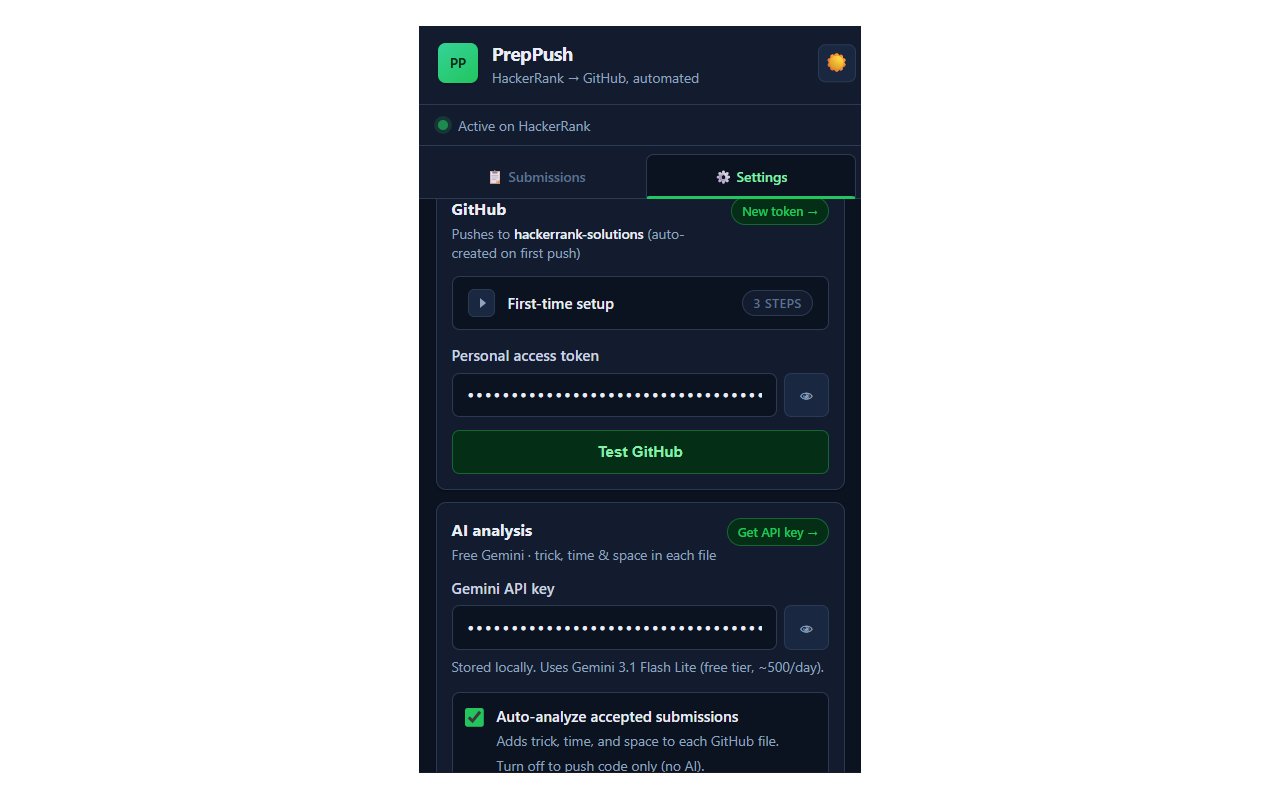
That's it. Submit an accepted solution and check your repo.
Why I built it as an extension (not a script)
HackerRank doesn't give you a clean "export all my solutions" button for the workflow I cared about.
I needed something that:
- Fires on Accepted — not on Run/Compile
- Works on full-screen and prep-kit URLs
- Writes to my repo structure, not a third-party server
A Chrome extension made sense: local keys, no PrepPush backend, you own the data.
What I learned shipping it
Early users helped a lot. A few real-world fixes:
- SQL / DB2 problems needed correct file paths (
.sql, not .py)
- Prep-kit pages use different APIs than classic challenges — capture had to follow both
- AI headers had to reference your actual code, not generic interview tips
It's a small project (~50 early users) but it solves a real problem for me every week.
Limitations (honest list)
| Topic | Notes |
|---|
| Platform | HackerRank only — not LeetCode or Codeforces |
| Trigger | Submit Code → Accepted — Run Code doesn't count |
| Keys | You provide GitHub token + optional Gemini key |
| Privacy | Keys stay in Chrome on your device — see privacy notes |
Try it
If you use HackerRank for interview prep, I'd love feedback — what breaks, what's missing, what would make this a weekly habit for you.
PrepPush is an independent project. Not affiliated with HackerRank, GitHub, or Google.
Question for you: How do you track HackerRank solutions today — GitHub, Notion, or not at all? I'd love to hear what would make this workflow stick for you.