Hoi hoi!
I’m @nyaomaru, a frontend engineer currently fighting the intense European heatwave by building DIY window screens here in the Netherlands. 🛠️
https://medium.com/data-science-collective/should-you-still-learn-to-code-in-2026-034685e17707
As this article also discusses, I believe that improving our fundamental engineering skills is still essential in the age of AI.
Imagine that AI makes an F1 car fully autonomous. 🏎️
Would you let someone without even a driver’s license enter a race as its driver?
Or imagine that AI completely automates maintenance during pit stops.
Would you put someone who knows absolutely nothing about cars, their parts, or their internal structure in charge of that AI?
AI is certainly reducing the amount of code we need to write by hand. Typing quickly and memorizing every small piece of syntax or every method are becoming less important.
But can we confidently release a product without understanding its fundamental concepts or implementation? If something goes wrong in production, can we take responsibility and fix it?
My answer was no.
Building things faster is obviously a good thing. But if we build without understanding, we may simply produce fragile software with no long-term sustainability at a faster rate.
The real value comes from building meaningful things quickly.
Then, how can we develop the fundamental skills we still need in the AI era?
I believe one useful approach is learning DSA: Data Structures and Algorithms. So I decided to start learning DSA again.
However, while solving problems on LeetCode, I repeatedly ran into the same problem.
I want to visualize the data flow and understand what is happening, but I still can’t clearly see it.
So I used the skills I have developed through frontend engineering and built a tool that visualizes the execution flow of DSA implementations! 🚀
https://github.com/nyaomaru/dsa-view-view
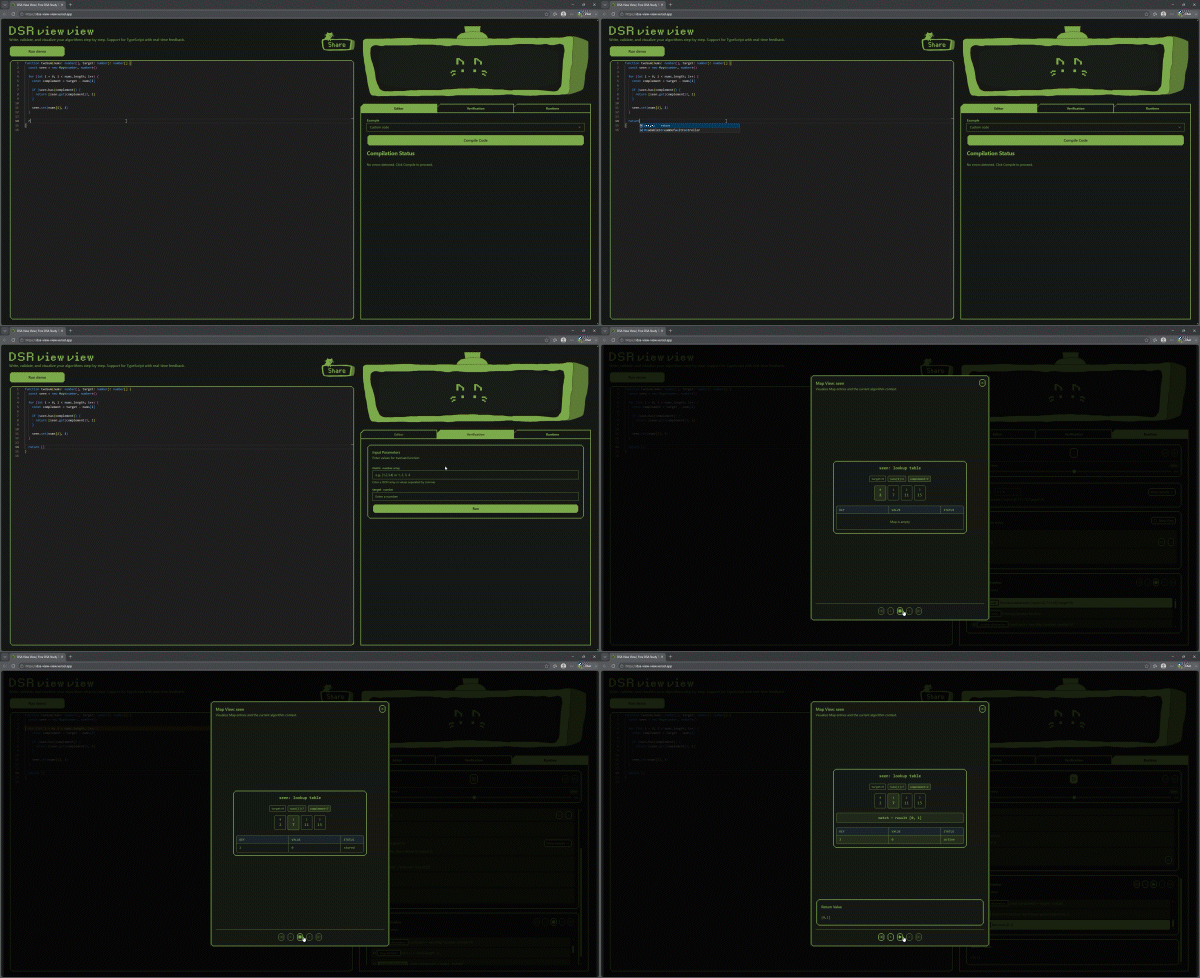
In this article, I’ll explain how DSA View View works and how we can use it to study DSA.
Let’s take a look together!
Disclaimer
I may sound confident so far, but I’m definitely not a DSA expert. I’m still learning, just like many of you.
In fact, I built this tool precisely because I was struggling. When I realized that I couldn’t immediately solve Binary Search, I started to panic a little. 😸
🖥️ What Is DSA View View?
DSA View View is a tool that executes functions and classes written in TypeScript and lets you inspect how variables and return values change on each line through a runtime timeline.
The easiest way to understand is to try it yourself!
Open the tool and click the Run Demo button.

You’ll quickly see how the workflow works:
- Write your implementation
- Compile it
- Enter the input values
- Run it
That’s really it.
Although I created it primarily for DSA problems, you can also use it to inspect and test smaller TypeScript implementations.
And, of course, it’s completely free!
🤔 What Can It Do?
With DSA View View, you can:
- Write DSA implementations in
TypeScript
- Test implementations with different input values
- Move forward and backward through runtime steps
- Visualize supported data structures and algorithms
- Review LeetCode solutions and confirm your understanding
You can also use it as a lightweight environment for executing functions or formatting code blocks for technical articles such as Dev.to 😸
Feel free to experiment with it and find your own use cases!
🧑🏫 How to Use It
The main workflow consists of three modes:
- Editor
- Verification
- Runtime
Let’s look at each one.
Editor
First, write your implementation!
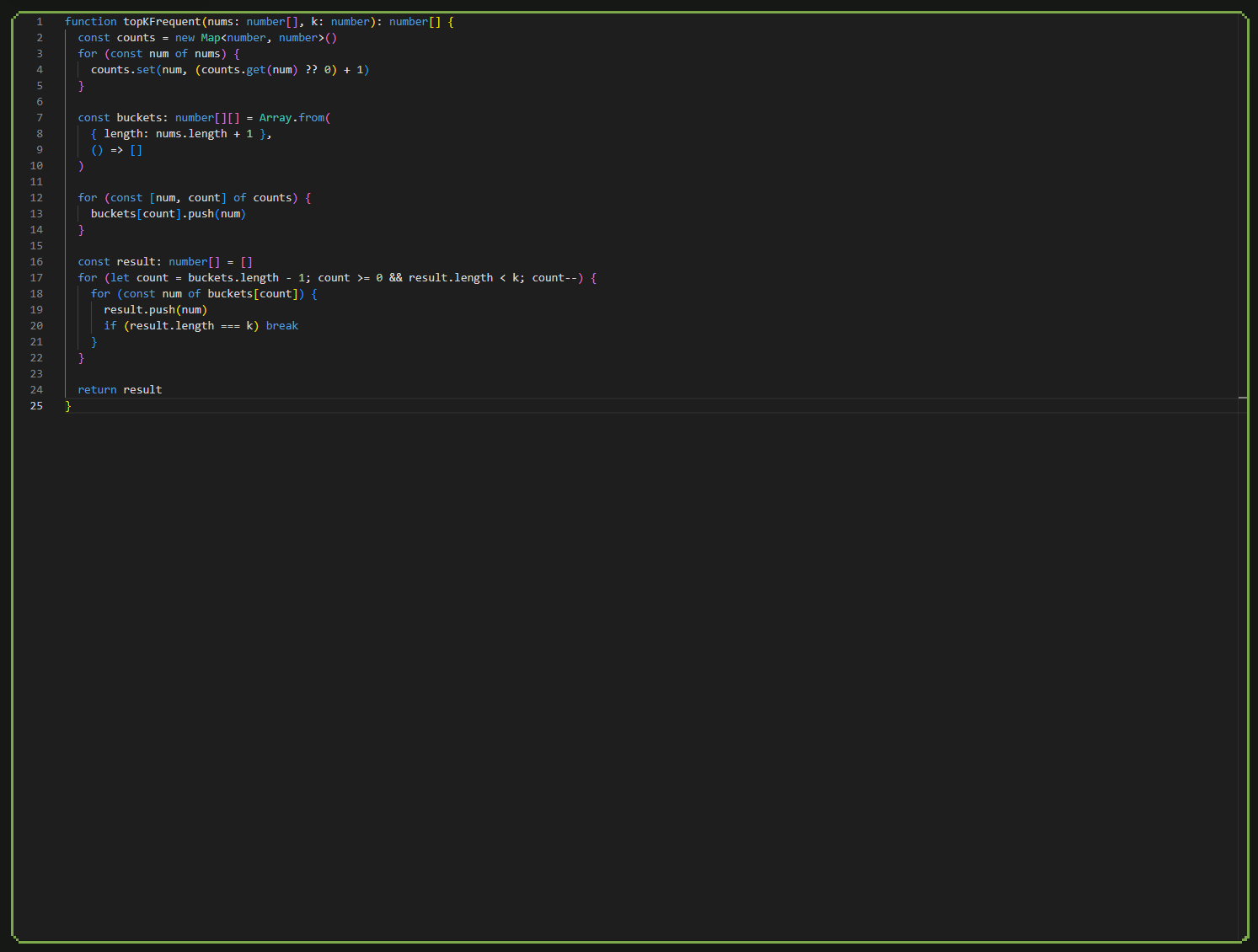
The Editor is designed to feel similar to a basic IDE.
TypeScript diagnostics are available by default, so the editor can detect some errors while you write.
You can also press Cmd/Ctrl + S to format your code with Prettier, so feel free to write first and clean it up afterward.
Common classes used in DSA problems, such as TreeNode and ListNode, are already available.
You don’t need to declare or import them every time.
You can also define your own classes or replace the provided definitions when necessary.
Once your implementation is ready, click Compile Code.
If compilation fails, the tool displays the relevant location and error message so that you can fix it.
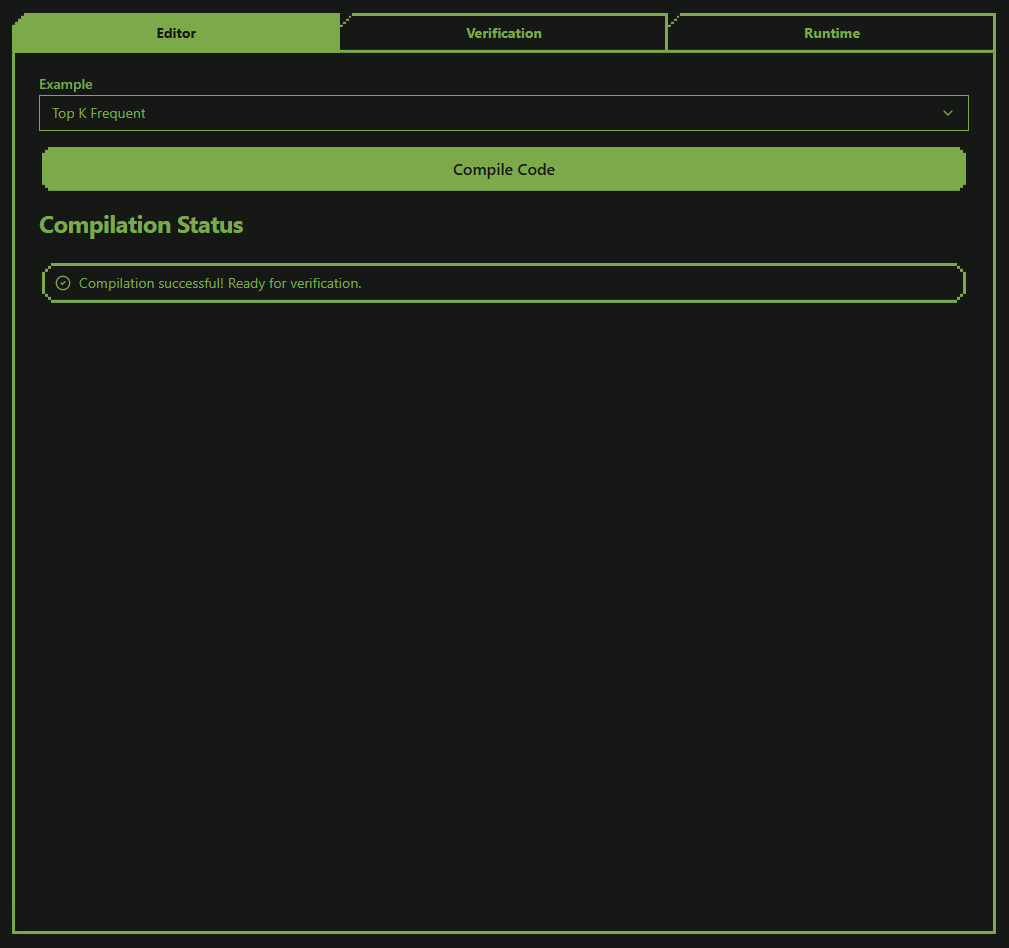
There is also an Example menu containing several common implementations.
For example, if you want to quickly inspect a Heap Sort implementation and see how it behaves, you can load the example instead of writing everything manually.
Verification
In Verification mode, you define the input values that should be passed to your function or class.
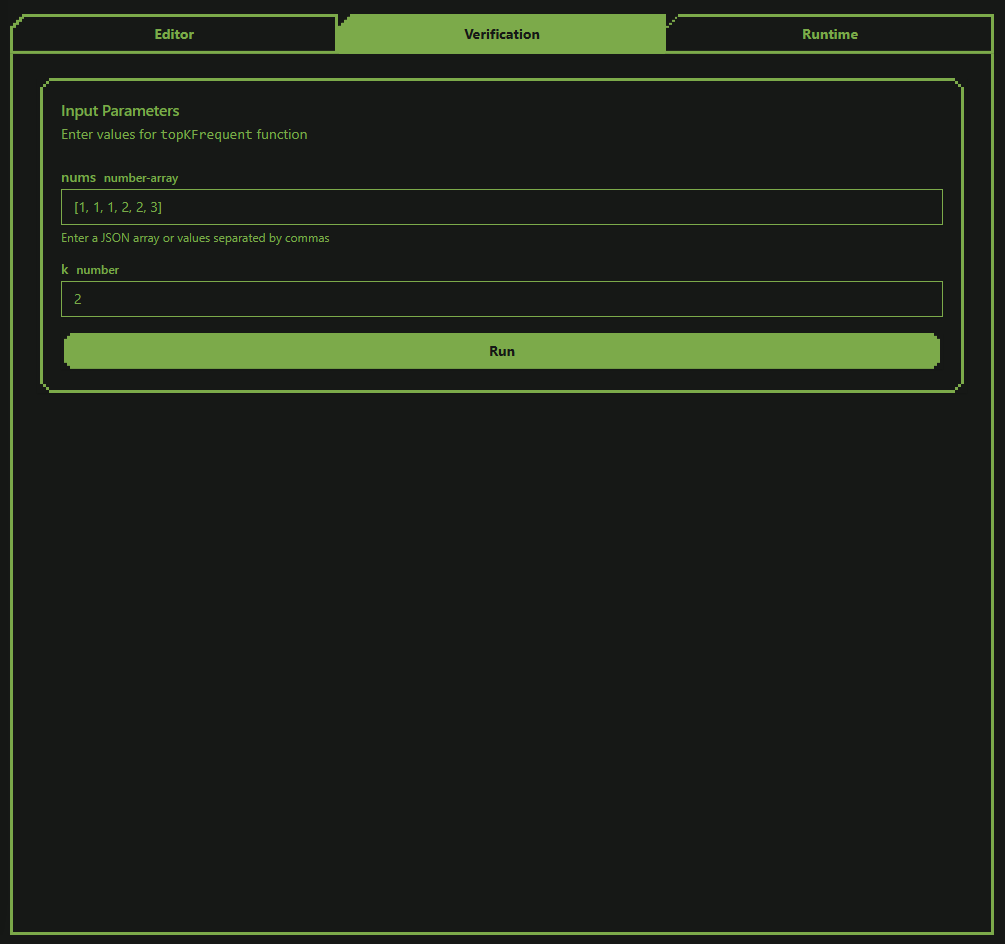
Enter a test value for each argument.
For arrays, both of the following formats are supported:
[1, 2, 3]
1, 2, 3
Once your input values are ready, click Run.
Runtime
Finally, let’s inspect the runtime!
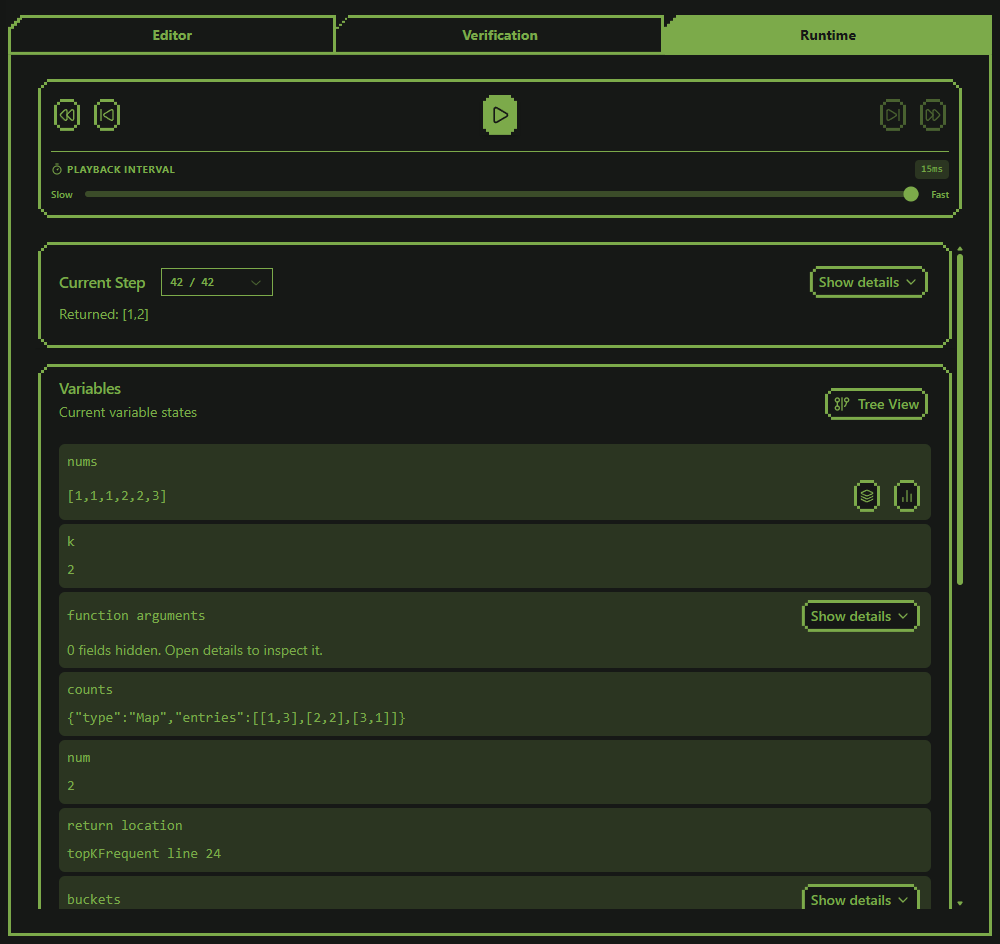
When you click Run in Verification mode, your implementation is executed.
Runtime mode then lets you play through the execution steps or move backward and forward manually.
When the tool recognizes supported logic, an additional visualization is displayed in a modal.
Not every possible implementation is supported yet, of course. If something you need is missing, I would be happy to receive an issue or pull request!
You can move backward and forward through the executed lines to inspect:
- Which line is currently running
- How variables change
- Where values are returned
- How the execution reaches its final result
You can return to the beginning, jump directly to the end, or move through the timeline one step at a time.
The main execution process runs entirely in the browser.
Share 🐈
DSA View View also includes a sharing feature.
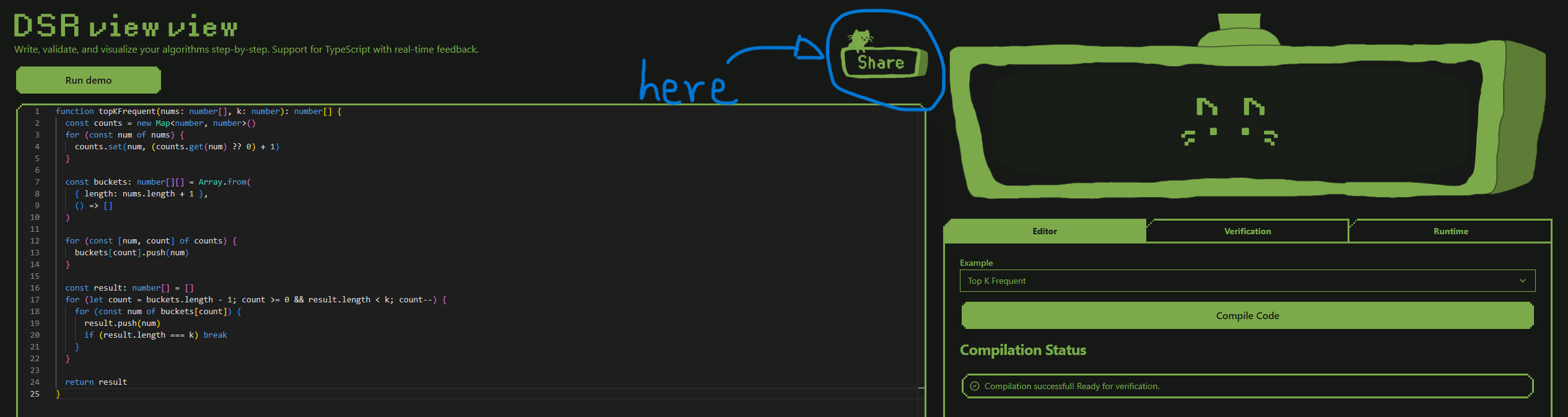
You can create a URL that preserves your implementation and share it with someone else.
Use the Share button at the top of the page to post it on social media or copy the link directly.
Share your implementations, compare different solutions, and let’s learn together!
Important: The shared URL contains your implementation. Do not paste private, confidential, or proprietary code into the tool before sharing it.
What Is That Thing in the Top-Right Corner? 👀👀
Meet Mr. View.

Mr. View watches over your implementation.
Nothing more.
Nothing less.
He is simply there to support you.
When you need to concentrate, press the TV button to hide him. Press it again to bring him back.
However, if Mr. View is enough to distract you, you may not be ready for an attack from ten simultaneous Slack notifications. 😸
✏️ How Should We Study DSA?
Now you know how to use DSA View View.
The next question is probably
Which problems should I solve?
LeetCode is an obvious place to start, and the study plan from Tech Interview Handbook also provides a useful collection of practice problems. 👇
https://www.techinterviewhandbook.org/coding-interview-study-plan/
Try solving these problems with DSA View View.
Once your implementation works, use the runtime timeline to inspect the data flow and understand exactly how the algorithm reaches its answer.
You can also use tools such as ChatGPT, Codex, Claude, Claude Code, Gemini, and Grok to explore your solution further.
Don’t limit yourself to asking
Is this implementation correct?
Try asking questions such as:
- What would happen if I rewrote this DFS solution using BFS?
- Could Dynamic Programming solve this problem?
- Are there any other reasonable approaches?
- What are the time and space complexities?
- Why is this approach better than the alternatives?
- Under which conditions would another approach be better?
AI becomes much more useful for learning when it helps us compare and understand different approaches instead of only generating a final answer. 👍
Why TypeScript Instead of Python? 🐍
The simple answer is that TypeScript is my favorite language.
I mainly work as a frontend engineer, so TypeScript is also the language in which I feel most comfortable experimenting and learning.
However, I designed the tool so that additional languages could be supported in the future.
If there is enough demand for another language, please leave a comment or open an issue!
🎯 Conclusion
AI is helping us write code faster and faster.
However, understanding what happens inside an implementation remains an important engineering skill.
In fact, I believe that this ability may become even more valuable as AI-generated code becomes increasingly common.
I built DSA View View because I wanted a tool that could help me strengthen those fundamental skills from the ground up.
To be honest, I still have a lot to learn about DSA.
That is exactly why I hope we can learn together.
Please leave a comment or open an issue if:
- You want support for a particular problem or data structure
- You have an idea for a new visualization
- You find a bug
- You want support for another programming language
Let’s train our DSA muscles together! 💪😸
If you like it, please give a star ⭐
https://github.com/nyaomaru/dsa-view-vie
And I also launched on ProductHunt! Come say hello and let me know what you think 😸 👇
https://www.producthunt.com/products/dsa-view-view