What this is about
Today’s mission was simple on paper:
Teach Kubernetes how to handle memory politely.
In reality:
Kubernetes behaved like a strict landlord, and my containers learned consequences.
We explored:
memory requests (what you ask for)
memory limits (what you’re allowed to touch)
what happens when containers ignore both
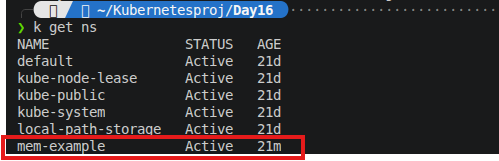
Step 1: Creating a safe playground (namespace)
I started by isolating everything so I wouldn’t accidentally break the entire cluster (again):
kubectl create namespace mem-example
Step 2: Installing Metrics Server (the “fitness tracker” for pods)
Metrics Server is basically Kubernetes’ way of checking:
“Who is eating all the RAM?”
Installed it using the provided YAML.
Then… immediately learned Kubernetes loves drama.
Problem #1: Image pull failure 😭
My pod refused to start:
ImagePullBackOff
Translation:
“I tried to download your image… but the internet said no.”
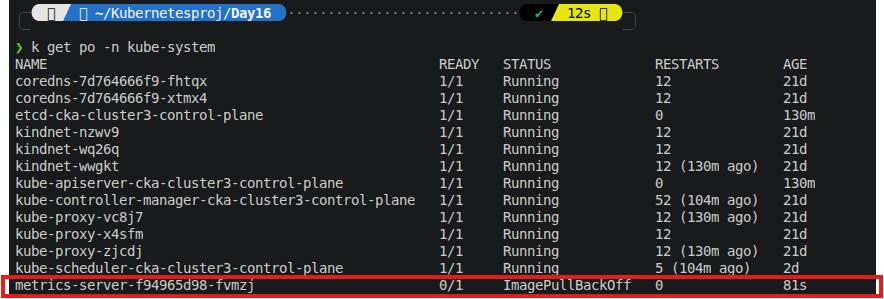
So before I could even stress memory, Kubernetes was already stressed.
Then I sorted it out by deleting the metrics server and restarting it.

Step 3: A well-behaved container (for once)
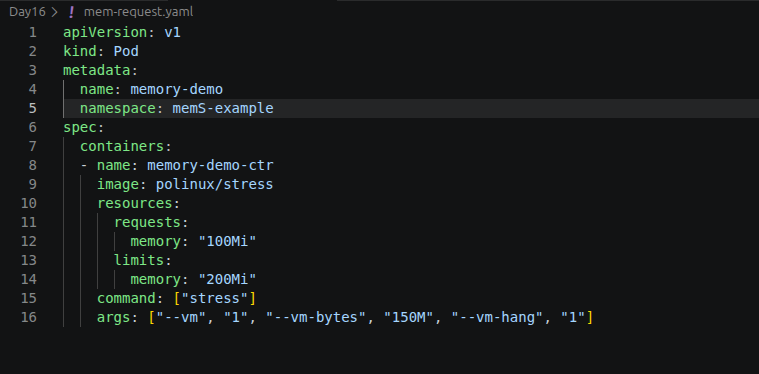
Now I created a pod with rules:
Request: 100Mi (be reasonable)
Limit: 200Mi (don’t get greedy)
resources:
requests:
memory: "100Mi"
limits:
memory: "200Mi"
And then I told it:
“You may use 150Mi, but don’t embarrass me.”
Command:
kubectl apply -f memory-request-limit.yaml
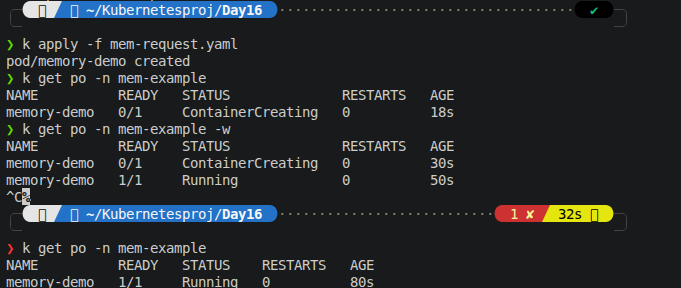
What happened?
Shockingly… it behaved.
Checked usage:
kubectl top pod memory-demo -n mem-example
It used ~150Mi.

So Kubernetes basically said:
“You asked for 100Mi, but I’ll allow vibes up to 200Mi. Based off the yaml specifications”
Step 4: The “don’t exceed your limit” experiment 💀
Now I got ambitious (or careless).
Created another pod:
Request: 50Mi
Limit: 100Mi
Actual attempt: 250Mi (yes… I pushed it)
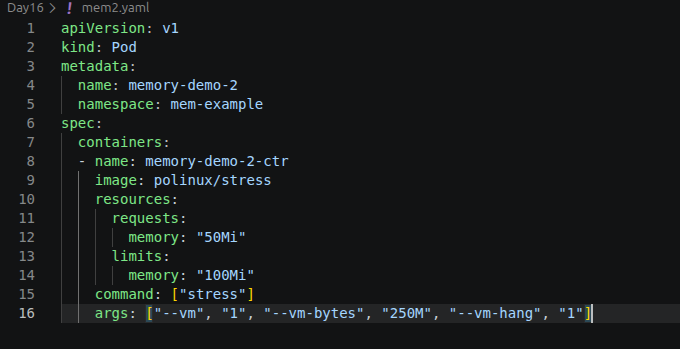
kubectl apply -f mem2.yaml
The result: Kubernetes said NO.
OOMKilled
Exit code 137
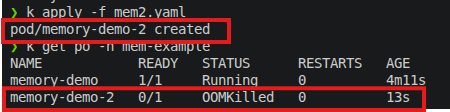
The container basically got:
“You exceeded your budget. Session terminated.”
And then it restarted… and died again… and again.
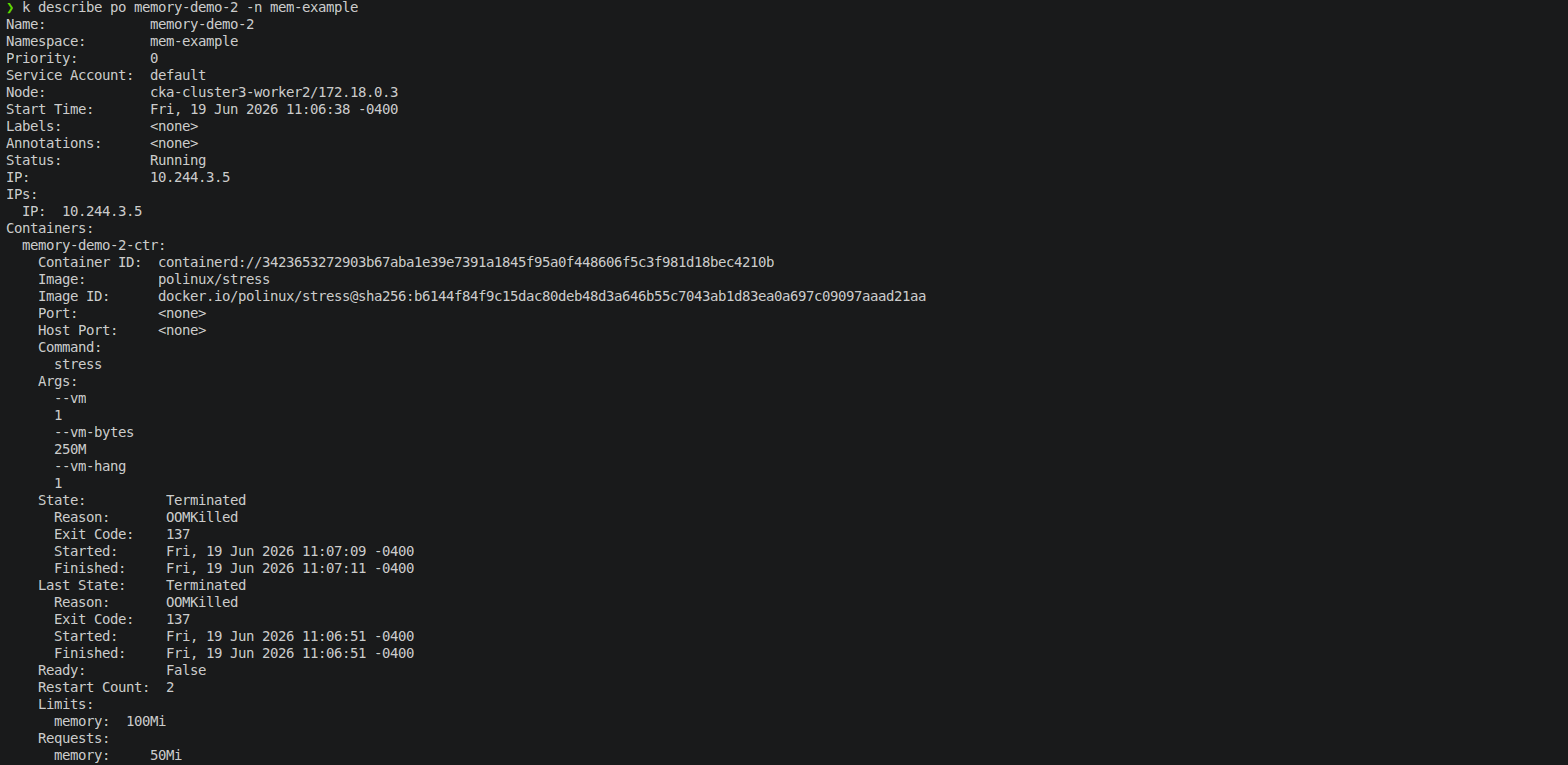

So yes, I successfully created a loop of failure.
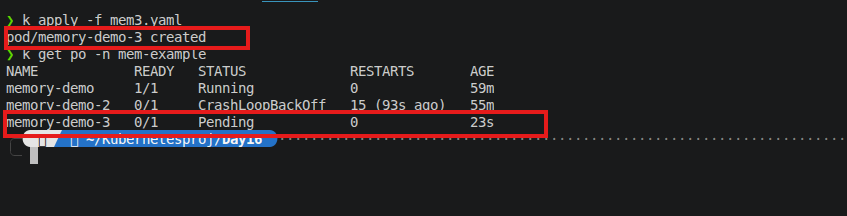
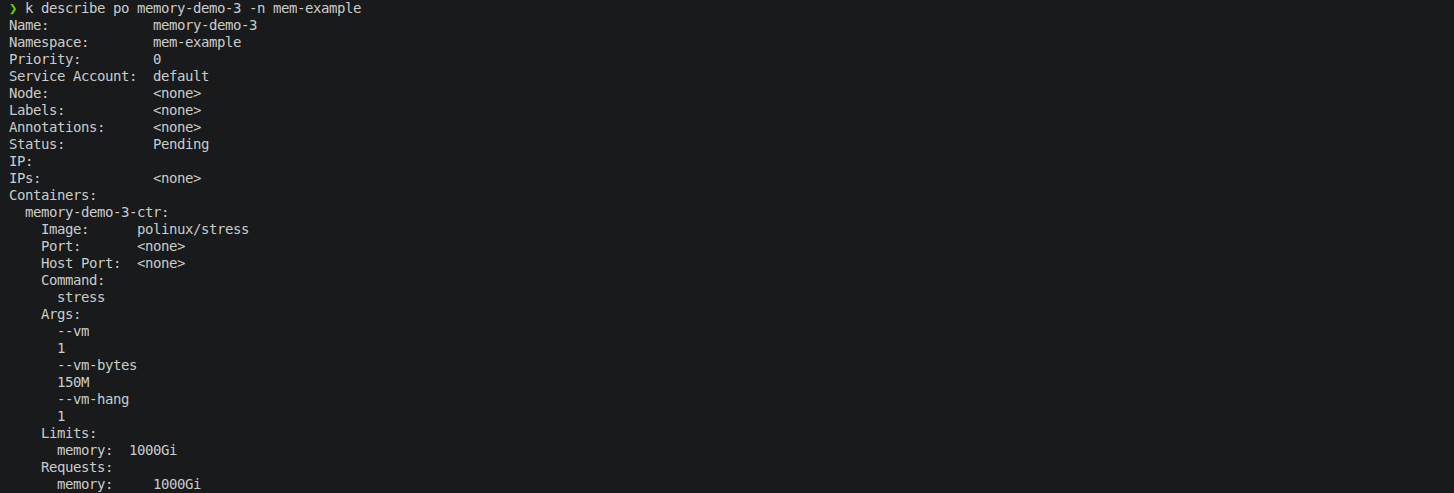
Step 5: The “impossible request” experiment
Now I tried something unrealistic:
Request: 1000Gi memory
Limit: 1000Gi
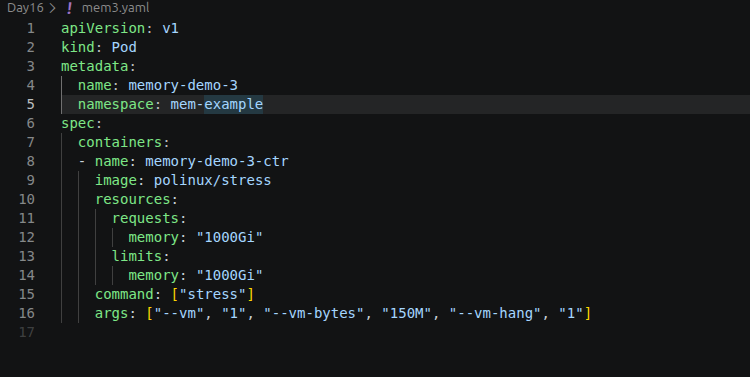
Basically:
“I would like half the cluster please.”
Result:
Pod stayed in Pending
No node could even consider it

Kubernetes response:
“Be serious.”
What I learned (the real value)
Requests are not suggestions — they decide where your pod even goes
Limits are not suggestions — they decide how your pod dies
Kubernetes is very polite… until you exceed limits
OOMKilled is just Kubernetes saying “enough”
If your request is unrealistic, your pod doesn’t crash — it just never gets invited in