Modern frontend apps need fast, scalable, and cost-efficient hosting.
While AWS S3 is great for static hosting, making it production-ready
requires CloudFront, proper security, and automation.
In this blog, I’ll show how I built a fully automated pipeline.
to deploy a React app using Terraform and GitHub Actions.
Architecture Overview
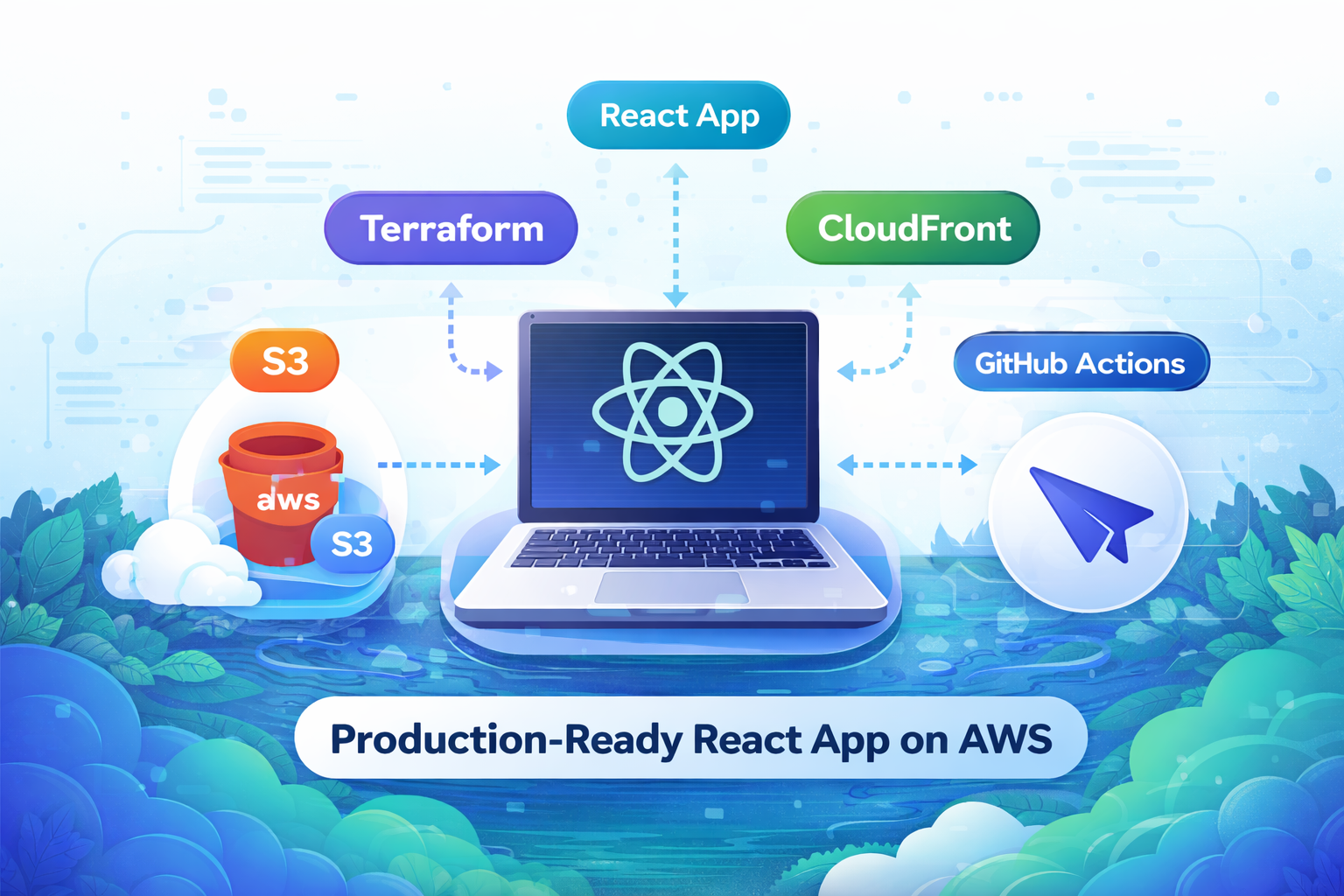
Here’s what we’re building:
- React app → built into static files
- Terraform provisions:
- S3 bucket (hosting)
- CloudFront distribution (CDN)
- GitHub Actions:
- Build React app
- Upload to S3
- Invalidate CloudFront cache
Project Structure
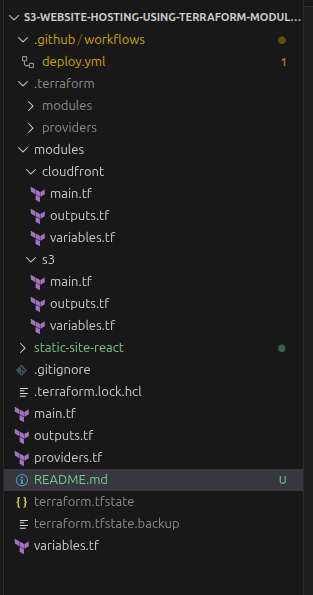
Instead of writing everything in one file, I used modular Terraform.
Example modules:
How Modules Are Used (Root Configuration)
This snippet shows how the root module calls the S3 and CloudFront
modules to provision infrastructure.
module "s3_static_site" {
  source      = "./modules/s3-static-site"
  bucket_name = var.bucket_name
}

module "cloudfront" {
  source             = "./modules/cloudfront-distribution"
  bucket_domain_name = module.s3_static_site.bucket_domain_name
}
S3 Module (Static Hosting)
This module creates and configures the S3 bucket for static hosting.
Bucket Creation
This snippet creates the S3 bucket that will host the React static site.
resource "aws_s3_bucket" "skr_bucket" {
  bucket = var.bucket_name
}
Website Configuration
This snippet configures the S3 bucket for static website hosting and sets the index document.
resource "aws_s3_bucket_website_configuration" "skr_bucket" {
  bucket = aws_s3_bucket.skr_bucket.id

  index_document {
    suffix = "index.html"
  }
}
Bucket Policy (for CloudFront)
This snippet sets a bucket policy allowing CloudFront (and other services if needed) to read objects from the S3 bucket.
resource "aws_s3_bucket_policy" "allow_cloudfront" {
  bucket = aws_s3_bucket.skr_bucket.id

  policy = jsonencode({
    Statement = [{
      Effect = "Allow"
      Principal = "*"
      Action = "s3:GetObject"
      Resource = "${aws_s3_bucket.skr_bucket.arn}/*"
    }]
  })
}
CloudFront Module
This module sets up a CDN in front of S3.
Distribution
This snippet creates the CloudFront distribution that serves your S3 bucket globally with HTTPS support.
resource "aws_cloudfront_distribution" "cdn" {
  enabled             = true
  default_root_object = "index.html"
}
React Routing Fix (IMPORTANT)
This snippet ensures single-page React routes return index.html instead of 404 errors.
custom_error_response {
  error_code         = 404
  response_code      = 200
  response_page_path = "/index.html"
}
Cache Invalidation
This snippet invalidates the CloudFront cache automatically after deployment, so new changes appear immediately.
resource "null_resource" "cache" {
  provisioner "local-exec" {
    command = "aws cloudfront create-invalidation --distribution-id ${aws_cloudfront_distribution.cdn.id} --paths '/*'"
  }
}
This Terraform module-based architecture makes it easy to reuse infrastructure across multiple environments like dev, staging, and production.
Benefits:
- Reusable
- Clean architecture
- Easier debugging
- Production-ready structure
☁️ Step 2: S3 Static Website Hosting
The S3 module:
- Creates a bucket
- Enables static hosting
- Configures public access (Via OAC)
Key features:
- Versioning enabled
- Proper bucket policy
- Index + error documents
Step 3: CloudFront CDN Setup
CloudFront sits in front of S3 to:
- Improve performance (low latency)
- Add HTTPS support
- Cache content globally
Configuration highlights:
- Origin: S3 bucket
- Viewer protocol: Redirect HTTP → HTTPS
- Cache behavior optimized for static assets
⚡ Step 4: GitHub Actions CI/CD
This is where things get powerful.
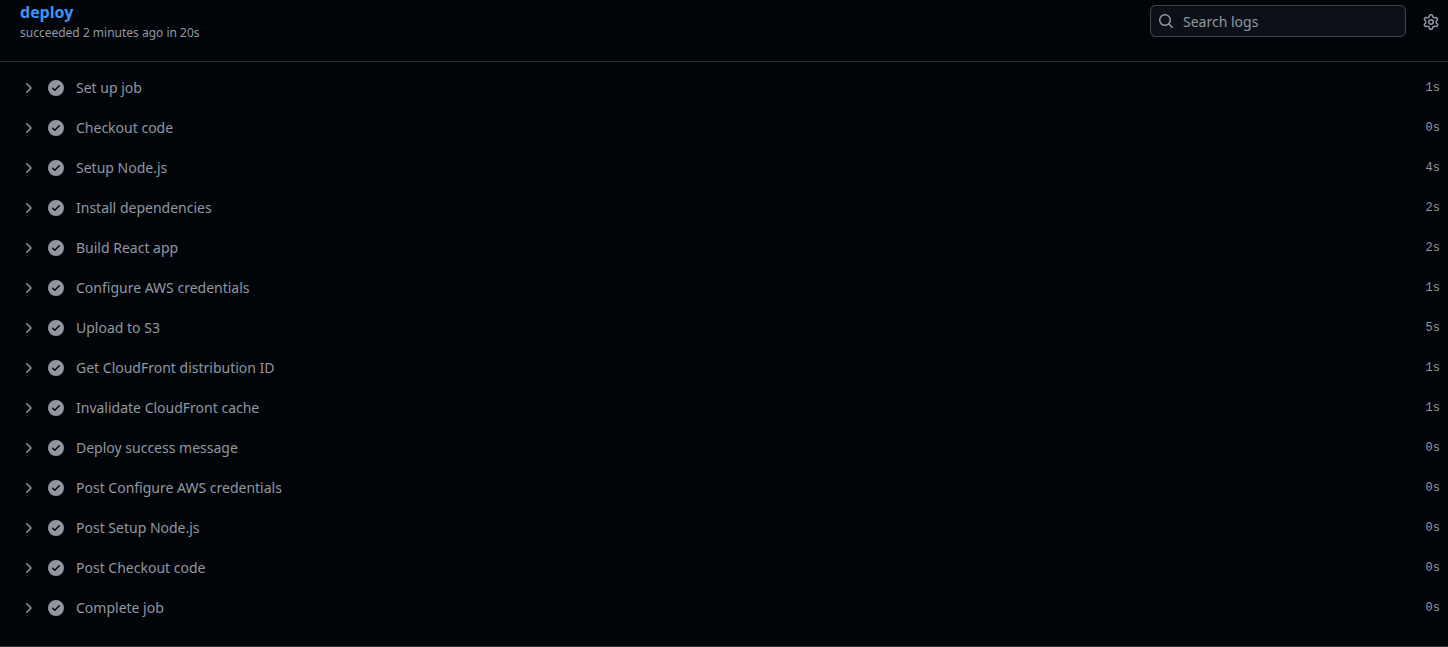
Workflow does:
- Install dependencies
- Build React app
- Sync build folder to S3
- Invalidate CloudFront cache
Result:
Every push to main → automatic deployment
CI/CD Workflow Example
name: Deploy to CloudFront

on:
  push:
    branches:
      - main
  workflow_dispatch:

env:
  AWS_REGION: ap-south-1
  S3_BUCKET: samir-module-s3-bucket-hosting

jobs:
  deploy:
    runs-on: ubuntu-latest

    steps:
      - name: Checkout code
        uses: actions/checkout@v4

      - name: Setup Node.js
        uses: actions/setup-node@v4
        with:
          node-version: '20'
          cache: 'npm'
          cache-dependency-path: static-site-react/package-lock.json

      - name: Install dependencies
        working-directory: ./static-site-react
        run: npm ci

      - name: Build React app
        working-directory: ./static-site-react
        run: npm run build

      - name: Configure AWS credentials
        uses: aws-actions/configure-aws-credentials@v4
        with:
          aws-access-key-id: ${{ secrets.AWS_ACCESS_KEY_ID }}
          aws-secret-access-key: ${{ secrets.AWS_SECRET_ACCESS_KEY }}
          aws-region: ${{ env.AWS_REGION }}

      - name: Upload to S3
        run: |
          aws s3 sync ./static-site-react/dist/ s3://${{ env.S3_BUCKET }} --delete

      - name: Get CloudFront distribution ID
        id: cloudfront
        run: |
          DISTRIBUTION_ID=$(aws cloudfront list-distributions --query "DistributionList.Items[?Origins.Items[0].DomainName=='${{ env.S3_BUCKET }}.s3.${{ env.AWS_REGION }}.amazonaws.com'].Id" --output text)
          echo "distribution_id=$DISTRIBUTION_ID" >> $GITHUB_OUTPUT

      - name: Invalidate CloudFront cache
        run: |
          aws cloudfront create-invalidation --distribution-id ${{ steps.cloudfront.outputs.distribution_id }} --paths "/*"

      - name: Deploy success message
        run: |
          echo "✅ Deployment completed successfully!"
Why Use Terraform Modules?
Without modules:
- Messy code
- Hard to reuse
- Difficult scaling
With modules:
- Clean separation
- Reusable across projects
- Easier team collaboration
Key Advantages of This Setup
✅ Fully automated deployments
✅ Global CDN performance
✅ Infrastructure as Code (IaC)
✅ Scalable & production-ready
✅ Low cost (S3 + CloudFront)
How to Run This Project
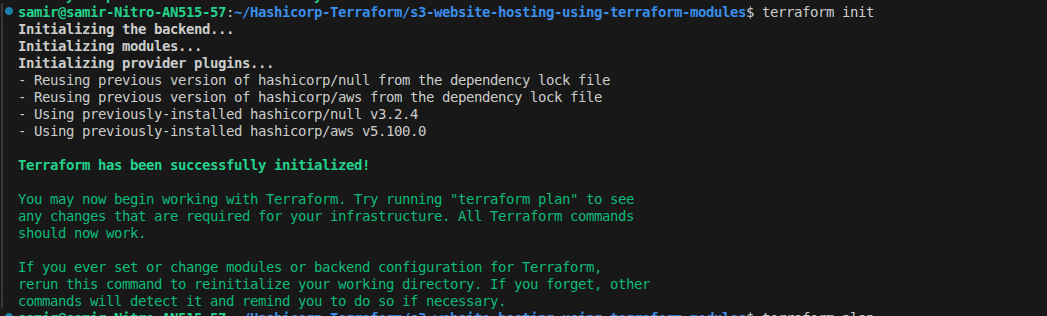
Initialize Terraform
terraform init
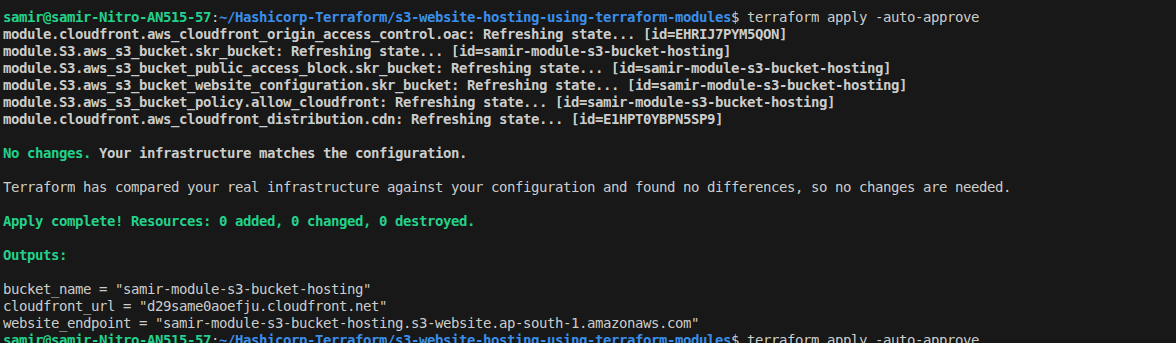
Apply Infrastructure
terraform apply -auto-approve
Deploy React App
Push code to GitHub → CI/CD handles the rest
Best Practices
- Use IAM roles instead of access keys
- Store secrets in GitHub Secrets
- Enable CloudFront caching strategies
Improvements You Can Add
- Custom domain with Route 53
- HTTPS with ACM
- WAF for security
- Multi-environment Terraform setup
Conclusion
This project demonstrates how to build a modern frontend deployment pipeline using:
- Terraform Modules
- AWS S3 + CloudFront
- GitHub Actions
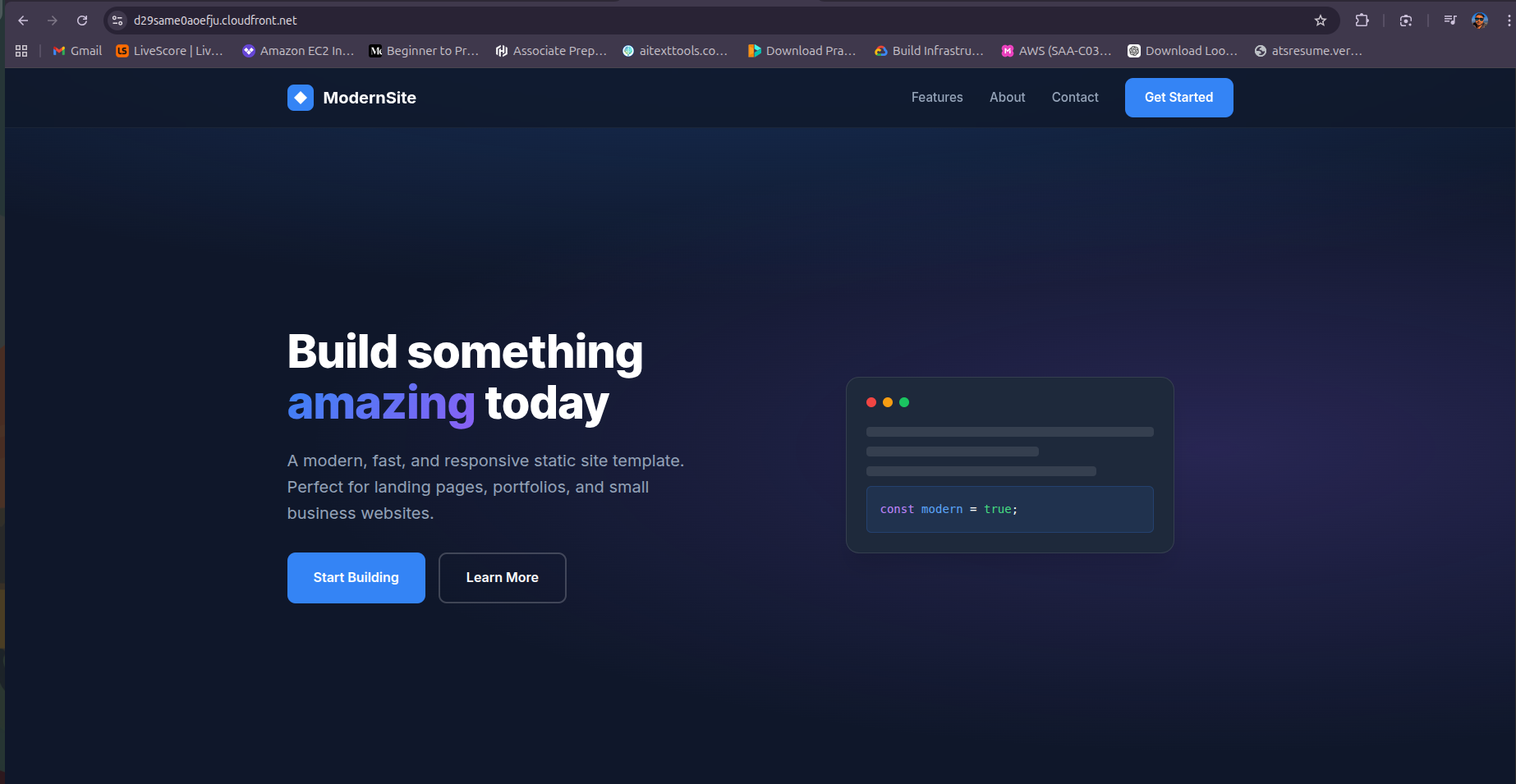
Final Output
After deployment, your app will be available via:
CloudFront URL (fast, secure, global)
Explore the Code
The full project with Terraform modules, S3, CloudFront setup, and GitHub Actions workflow is available here:
Check it out on GitHub
With this setup, you now have a fully automated, scalable, and production-ready React deployment pipeline. Start building modern frontends with confidence!Happy Building!!
Connect with me
• Portfolio: https://khanalsamir.com
• GitHub: https://github.com/Shawmeer
• LinkedIn: https://linkedin.com/in/samir-khanal
If you're working on similar DevOps or AWS projects, feel free to connect. I regularly share practical cloud and CI/CD content.